
Edit Links in PDF Online Free
Edit links in PDF files: change, move or remove any hyperlink.
- No upload
- Every link shown
- No sign-up
- Web and email links

Edit links in PDF documents when a website moves, a page is renamed or an email address changes. Every link on the page is outlined with its address, so you can change where it goes, move it or delete it, without the original file and without uploading anything.
How to Edit Links in PDF Files
Broken links fixed in a minute.

Open your PDF
Click Choose PDF file or drop it on the tool above. Every link is outlined.
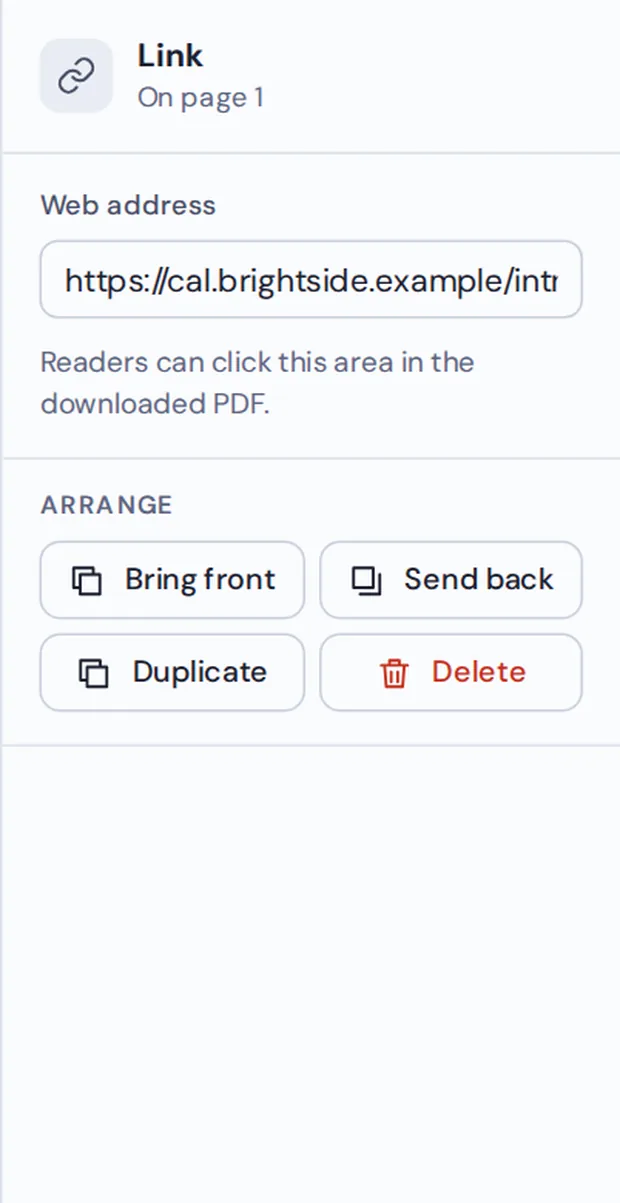
Click a link
Type the new address in Web address, drag the box to move it, or press Delete to remove it.

Download
Click Download. The new links work in every PDF reader.
How PDF Links Work
A link in a PDF is an invisible clickable box on top of the page, with a web address behind it. The blue words underneath are just text. That is why you cannot see or change links in most PDF readers.
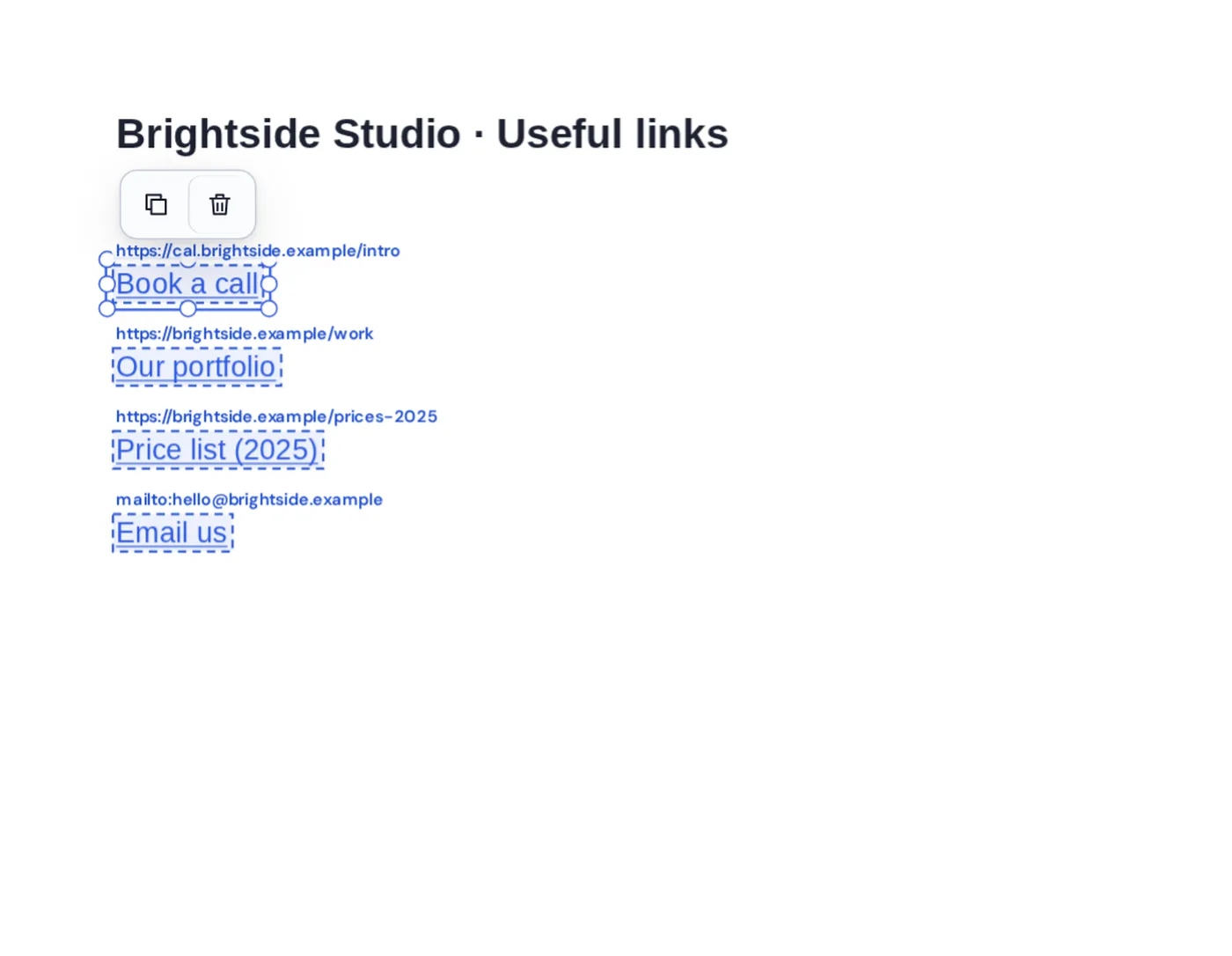
When you edit links in PDF pages here, every clickable box is outlined and labelled with its address. Click one to type a new address, or drag it to cover different words. Email links start with mailto: and work too.
To add a brand-new link, choose Link in the toolbar and drag over the words that should be clickable.
Change
Type a new address.
Move
Drag the clickable box.
Remove
Press the Delete key.
Every Link and Its Address in View
A list of useful links, each one outlined and labelled.
Re-exporting the PDF or Fixing the Links Here
Remaking the PDF often breaks something else.
| Edit the source and export | This tool | |
|---|---|---|
| Need the original | Yes | No, only the PDF |
| See where links go | Hover one at a time | All addresses shown |
| Time | Find, fix, export | Under a minute |
Fix Links Without Uploading
Price lists, reports and brochures stay private. TickPDF edits the links inside your own browser tab, so the PDF never leaves your device.
There is no account and no copy on our side.
- 0files uploadedYour PDF stays on your device.
- 0copies keptWe never see your pages.
- 0accounts neededOpen the page and start.

Works on iPhone, Android or Computer
- Windows
- Mac
- Linux
- Chromebook
- iPhone
- iPad
- Android
Open this page in your phone's browser and choose the PDF. Tap a link box, type the new address in the panel and tap Download.
It works the same on Windows, Mac, Linux and Chromebook, with nothing to install.
When People Change Links
People edit links in PDF files when an address is out of date.
Brochures
Point to the new shop.
Course notes
Fix broken references.
Proposals
Update the booking link.
Price lists
Link this year's prices.
Newsletters
Change the sign-up page.
Before sharing
Remove private links.
Tips to Edit Links in PDF Pages
- Full addressStart web links with https://.
- Email linksUse mailto:name@example.com.
- Test themClick each link in the downloaded file.
- Change the words tooUse Edit PDF text for the blue text.
- UndoCtrl+Z brings a deleted link back.
- Keep the originalSave the new file with a new name.
More PDF Tools
They all run in the same private editor.
Edit PDF text
Change existing words.
Change font in PDF
Swap the font of any line.
Edit images in PDF
Move, resize or replace pictures.
Remove annotations
Delete comments and highlights.
PDF Editor
Edit text, sign and annotate.
PDF validator
Check a file for problems.

Edit Links in PDF: Frequently Asked Questions
Answers to what people ask before they edit links in PDF files.
How do I edit links in a PDF?
Open your PDF at the top of this page. Every link is outlined with its address. Click one to type a new address, drag it to move it, or press Delete to remove it. Then click Download.
Can I edit links in a PDF for free?
Yes. The free plan works on PDFs up to 50 pages and 20 MB, with 3 downloads a day, no account and no watermark. TickPDF Pro removes these limits.
Can I edit links in a PDF online?
Yes. The tool runs in your web browser on Windows, Mac, Linux and Chromebook, with nothing to install. Open your PDF at the top of this page to start.
How do I edit links in a PDF on my phone?
Open this page in your phone's browser, choose the PDF and tap a link box. Type the new address in the panel and tap Download. There is no app to install.
Can I edit links in a PDF without Adobe Acrobat?
Yes. You do not need Acrobat or any other software. The tool runs in your browser, and the new PDF opens in Acrobat, Preview, Chrome and every other PDF reader.
Is it safe to edit links in a PDF online?
Yes. Your PDF is not uploaded. It is opened and processed inside your browser tab and never sent to our servers, so nobody else sees it. Close the tab and nothing is left behind.
Will the rest of my PDF change when I edit links?
No. Only the links you change are touched. The text, pictures and layout of the pages stay exactly as they were, and the new links work in every PDF reader.
What is the easiest way to edit links in a PDF?
Open the PDF above. The links are found for you, so you only need to click the one to change and type the new address.
Ready to Edit Links in PDF Files?
No account, no upload and no watermark: choose your PDF at the top of this page.
Open the toolTickPDF changes links on your own device. Open your file and edit links in PDF pages today.