
Multiple Pages per Sheet PDF Online Free
Multiple pages per sheet PDF: save paper by printing several pages on each sheet.
- No upload
- Up to 16 per sheet
- No sign-up
- Sharp vector pages

Make a multiple pages per sheet PDF to print slides as handouts, proof a long document on fewer sheets, or save paper and ink. Choose how many pages go on each sheet and the tool lays them out as large as possible. Nothing is uploaded.
How to Make a Multiple Pages per Sheet PDF
Then print it like any other PDF.

Choose your PDF
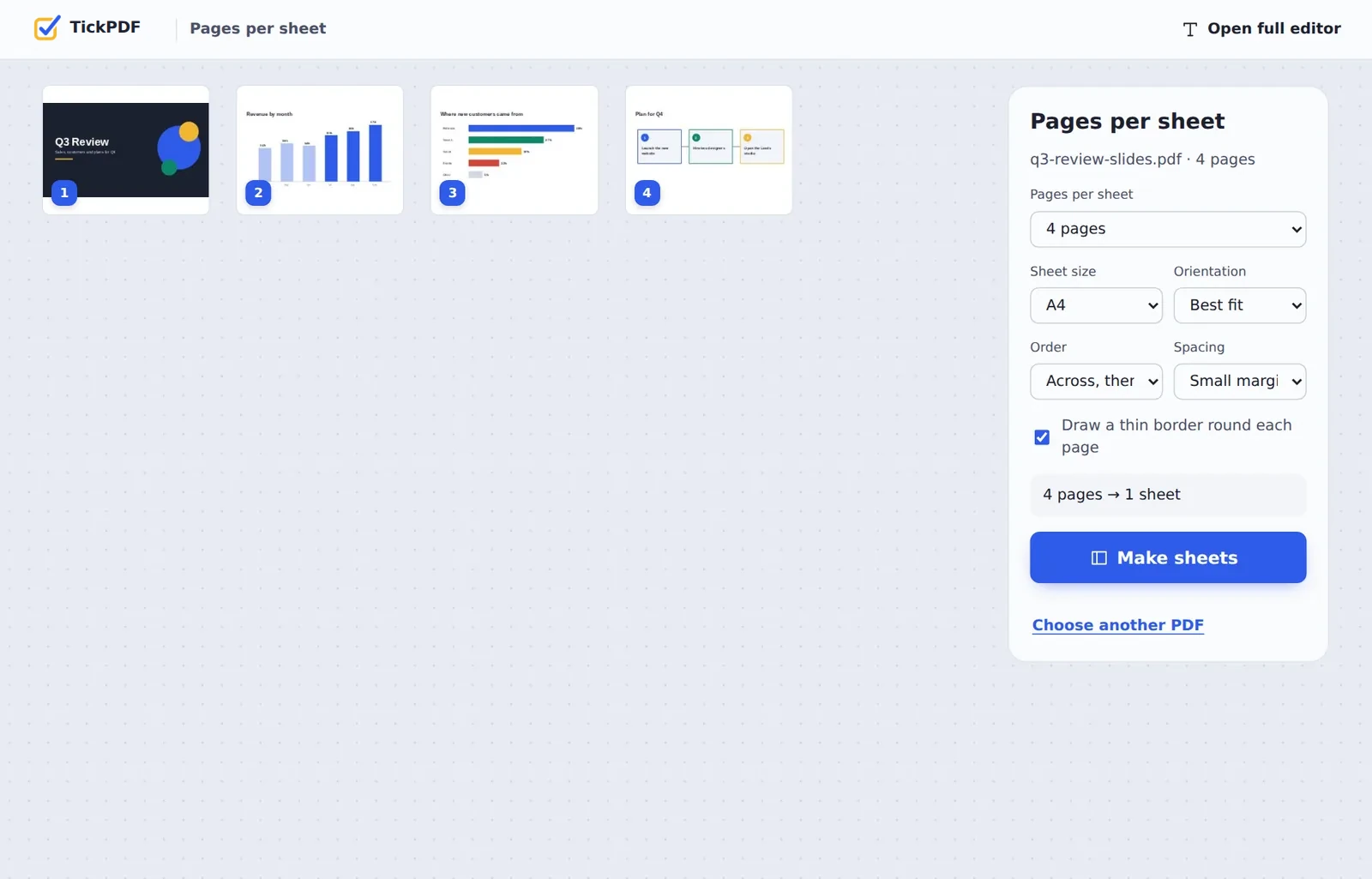
Click Choose PDF file or drop the PDF on the tool above.
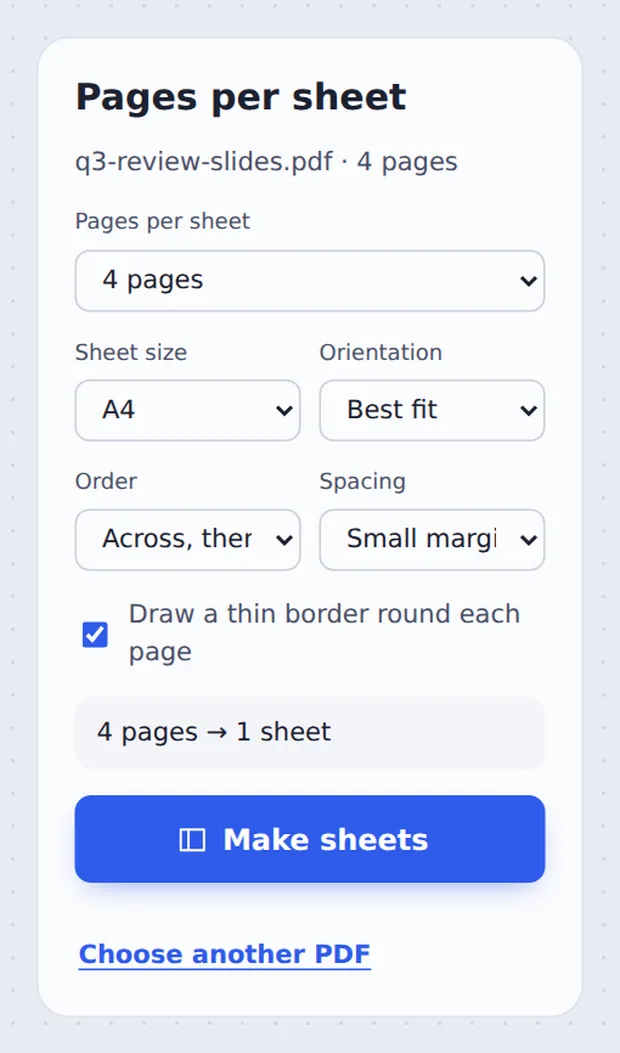
Pick the layout
Choose Pages per sheet, the Sheet size, Order and Spacing. The panel shows how many sheets you will get. Click Make sheets.

Download and print
Click Download PDF and print it at actual size.
What Is N-Up Printing?
N-up means printing several pages on one sheet: 2-up, 4-up and so on. A 40-slide deck becomes 10 sheets at 4 per sheet, or 5 at 8 per sheet.
Printer dialogs can do this too, but the settings differ on every computer and are easy to miss. A multiple pages per sheet PDF does it once, so the file prints the same on any printer and can be shared as handouts.
Pages are placed as sharp vector content, and the sheet orientation is picked so they come out as big as possible.
Save paper
Up to 16 pages on one sheet.
Handouts
Slides that are easy to read and note.
Sharp
Vector quality, not a screenshot.
Four Slides on One Sheet
Thin borders keep each page clear, and the order follows the deck.

Which Layout to Choose
A guide to multiple pages per sheet PDF layouts on A4 and Letter paper.
| Readable for | Good for | |
|---|---|---|
| 2 per sheet | Normal text | Documents and booklets |
| 4 per sheet | Larger text and slides | Slide handouts |
| 6 or 8 per sheet | Headings and charts | Long decks |
| 9 or 16 per sheet | Overview only | Proofs and storyboards |
Make a Multiple Pages per Sheet PDF Without Uploading
TickPDF lays out your pages inside your own browser tab, so presentations and reports never leave your device.
There is no account and no copy on our side.
- 0files uploadedYour PDF stays on your device.
- 0copies keptWe never see your pages.
- 0accounts neededOpen the page and start.

Multiple Pages per Sheet PDF on iPhone, Android or Computer
- Windows
- Mac
- Linux
- Chromebook
- iPhone
- iPad
- Android
Open this page in your phone's browser, choose the PDF, pick the number of pages per sheet and tap Make sheets.
It works the same on Windows, Mac, Linux and Chromebook, with nothing to install.
When People Print Several Pages per Sheet
Less paper, same content.
Slide handouts
Decks for meetings and classes.
Study notes
Lecture slides to revise from.
Proofreading
Check a long layout on a few sheets.
Storyboards
Many frames on one page.
Labels and cards
Small pages printed together.
Saving ink
Fewer sheets for drafts.
Tips for a Multiple Pages per Sheet PDF
- Print at actual sizeTurn off Fit to page in the print dialog.
- 4 for slidesFour slides per sheet stay easy to read.
- Crop firstTrim margins so each page fills its space.
- Down then acrossUse it for columns you read top to bottom.
- BookletsTwo per sheet, then fold, makes a simple booklet.
- Keep the originalYour original PDF is not changed.
More PDF Tools
They all run in the same private editor.
Resize PDF pages
Change the page size.
Crop PDF
Trim the margins.
Rearrange PDF pages
Put pages in the right order.
Merge PDF
Join files into one document.
Split PDF
Cut a PDF wherever you want.
Compress PDF
Make the file smaller.
Multiple Pages per Sheet PDF: Frequently Asked Questions
Answers to what people ask about printing several pages per sheet.
How do I print multiple pages per sheet from a PDF?
Choose your PDF at the top of this page, pick how many pages per sheet (2, 4, 6, 8, 9 or 16), and click Make sheets. Then print the new PDF as usual.
Can I print multiple pages per sheet from a PDF for free?
Yes. The free plan works on PDFs up to 50 pages and 20 MB, with 3 downloads a day, no account and no watermark. TickPDF Pro removes these limits.
Can I print multiple pages per sheet from a PDF online?
Yes. The tool runs in your web browser on Windows, Mac, Linux and Chromebook, with nothing to install. Open your PDF at the top of this page to start.
How do I print multiple pages per sheet from a PDF on my phone?
Open this page in your phone's browser, choose the PDF, pick the number of pages per sheet and tap Make sheets. There is no app to install.
Can I print multiple pages per sheet from a PDF without Adobe Acrobat?
Yes. You do not need Acrobat or any other software. The tool runs in your browser, and the new PDF opens in Acrobat, Preview, Chrome and every other PDF reader.
Is it safe to print multiple pages per sheet from a PDF online?
Yes. Your PDF is not uploaded. It is opened and processed inside your browser tab and never sent to our servers, so nobody else sees it. Close the tab and nothing is left behind.
Will the text be readable with many pages per sheet?
Two or four pages per sheet are easy to read on A4 or Letter. Nine or sixteen are best for slides, thumbnails or proof checks. Pages are placed as sharp vector content, so you can zoom in on screen.
What is the easiest way to print multiple pages per sheet from a PDF?
Choose 2 pages per sheet and click Make sheets. The tool picks portrait or landscape so the pages come out as big as possible.
Ready to Save Paper?
No account, no upload and no watermark: choose your PDF at the top of this page.
Open the toolTickPDF lays out your pages on your own device. Choose your file and make a multiple pages per sheet PDF today.