
BMP to PDF Online Free
BMP to PDF in seconds: turn bitmap screenshots and drawings into a small PDF.
- No upload
- Lossless
- No sign-up
- Smaller files

Convert BMP to PDF when you need to send a screenshot, a Paint drawing or an old bitmap image as a document. Every pixel is kept, and the PDF is usually far smaller than the BMP. The images never leave your device.
How to Convert BMP to PDF
One image becomes one page.
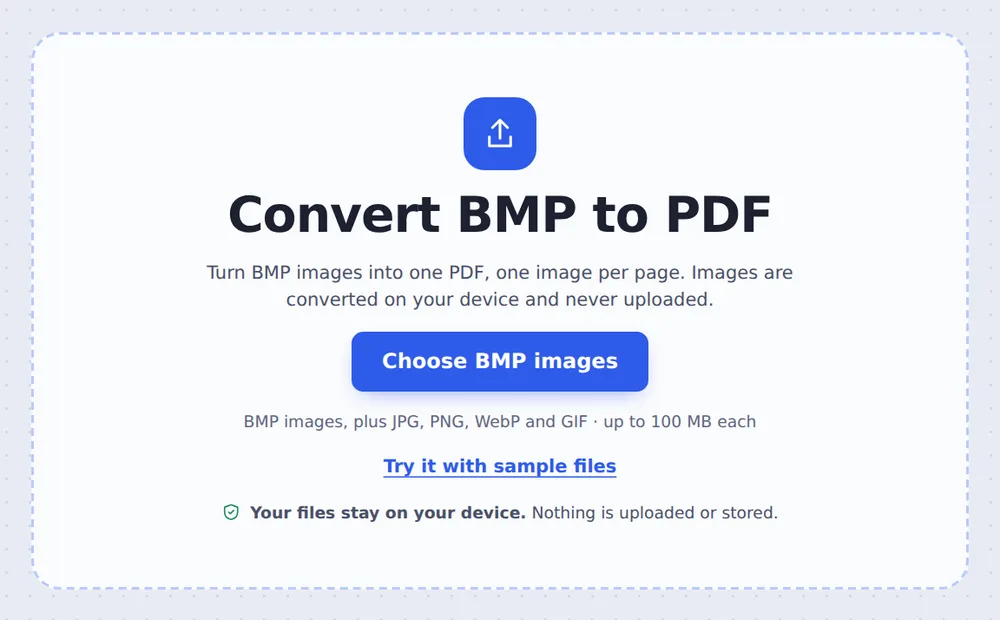
Choose your BMP images
Click Choose BMP images or drop them on the tool above. JPG and PNG images can be added too.
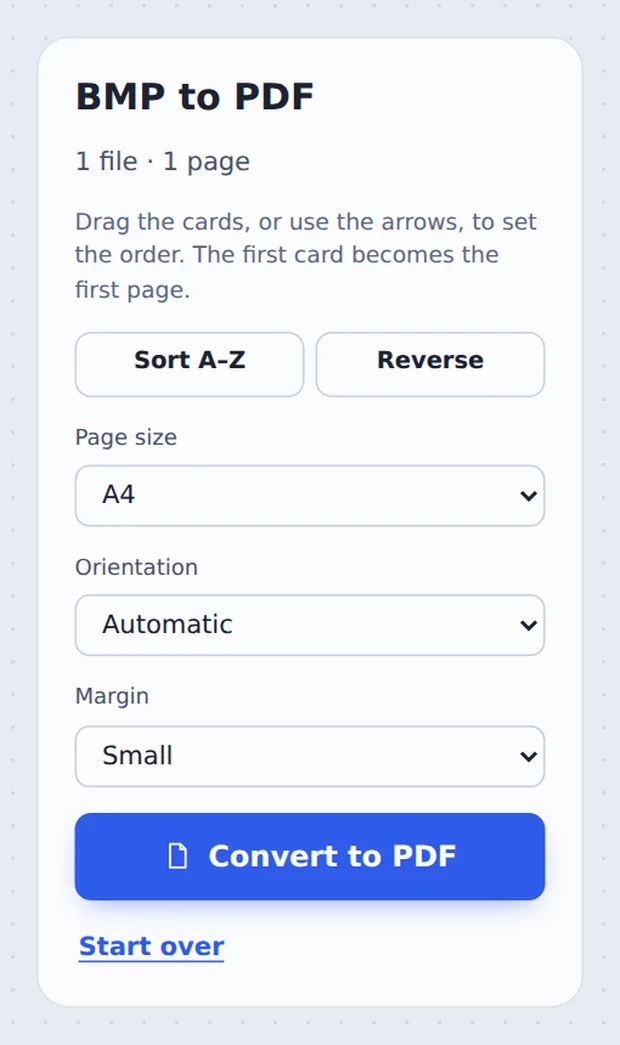
Pick the page size
Put the images in order, then choose Page size, Orientation and Margin. Click Convert to PDF.

Download the PDF
Click Download PDF, or open it in the editor.
Why Convert BMP to PDF?
BMP is the plain bitmap format used by Windows Paint, older software and some scanners and machines. It stores every pixel without compression, so even a simple screenshot can be several megabytes, and many websites refuse it.
When you convert BMP to PDF here, each image is stored losslessly inside the PDF, so it looks exactly the same while the file becomes a fraction of the size.
Choose A4 or Letter to print it on a page, or Same as the image to keep the exact size.
Pixel-perfect
Lossless, nothing blurred.
Much smaller
Often 5 to 20 times smaller than the BMP.
Opens anywhere
Every reader and upload form.
See Your Images Before Converting
Each card is one page of the PDF.

BMP, PNG and PDF Compared
Why a PDF is easier to share.
| File size | Quality | |
|---|---|---|
| BMP | Very large | Lossless |
| PNG | Small | Lossless |
| PDF from this tool | Small | Lossless, ready to print and share |
Convert BMP to PDF Without Uploading
TickPDF converts your images inside your own browser tab, so screenshots with private details never leave your device.
There is no account and no copy on our side.
- 0files uploadedYour image stays on your device.
- 0copies keptWe never see your pages.
- 0accounts neededOpen the page and start.

Works on iPhone, Android and Computer
- Windows
- Mac
- Linux
- Chromebook
- iPhone
- iPad
- Android
Open this page in your phone's browser, tap Choose BMP images and tap Convert to PDF.
It works the same on Windows, Mac, Linux and Chromebook, with nothing to install.
When People Use This Tool
Common sources of bitmap files.
Windows Paint
Drawings and edited screenshots.
Screenshots
Captures saved by older tools.
Old software
Exports from legacy programs.
Machines and devices
Reports from lab and industrial equipment.
Scanners
Some scanners save BMP by default.
School work
Diagrams drawn on a PC.
Pro Tips for Faster Results
- Same as the imageKeeps a screenshot at its exact size.
- Join manyDrop several BMPs to make one PDF.
- Add a captionOpen the PDF in the editor to add text.
- Sort A–ZPuts numbered files in order.
- Protect itAdd a password for private screenshots.
- Keep the originalsYour images are not changed.
More PDF Tools
Like the BMP to PDF converter, they all run in the same private editor.
PNG to PDF
Turn screenshots into a PDF.
JPG to PDF
Turn photos into a PDF.
HEIC to PDF
Turn iPhone photos into a PDF.
Merge PDF
Join files into one document.
Protect PDF
Add a password.
PDF Editor
Edit text, sign and annotate.

BMP to PDF: Frequently Asked Questions
Answers to what people ask about converting bitmap images.
How do I convert BMP to PDF?
Click Choose BMP images or drop your BMP files on the tool at the top of this page. Put them in order, choose the page size and click Convert to PDF.
Can I convert BMP to PDF for free?
Yes. The free plan works on PDFs up to 50 pages and 20 MB, with 3 downloads a day, no account and no watermark. TickPDF Pro removes these limits.
Can I convert BMP to PDF online?
Yes. The tool runs in your web browser on Windows, Mac, Linux and Chromebook, with nothing to install. Open your BMP files at the top of this page to start.
How do I convert BMP to PDF on my phone?
Open this page in your phone's browser, tap Choose BMP images and tap Convert to PDF. There is no app to install.
Can I convert BMP to PDF without Adobe Acrobat?
Yes. You do not need Acrobat or any other software. The tool runs in your browser, and the PDF opens in Acrobat, Preview, Chrome and every other PDF reader.
Is it safe to convert BMP to PDF online?
Yes. Your PDF is not uploaded. It is opened and processed inside your browser tab and never sent to our servers, so nobody else sees it. Close the tab and nothing is left behind.
Will my BMP images lose quality in the PDF?
No. BMP images are converted to lossless PNG inside the PDF, so every pixel stays exactly the same, and the file is usually much smaller than the original BMP.
What is the easiest way to convert BMP to PDF?
Drop the BMP files on the tool above and click Convert to PDF. One image becomes one page.
Ready to Convert BMP to PDF?
No account, no upload and no watermark: choose your images at the top of this page.
Open the toolTickPDF turns bitmap images into PDFs on your own device. Choose your images and convert BMP to PDF today.