
Split PDF by Size Online Free
Split PDF by size: big files cut into parts that fit email and upload limits.
- No upload
- Any MB limit
- No sign-up
- Pages never cut

Split PDF by size when a file is too big for an email attachment or an upload form. Type the largest size allowed, such as 5 MB, and the PDF is cut into as few files as possible, each under the limit, with every page in order. Nothing is uploaded.
How to Split PDF by Size
The panel shows roughly how many files you will get.
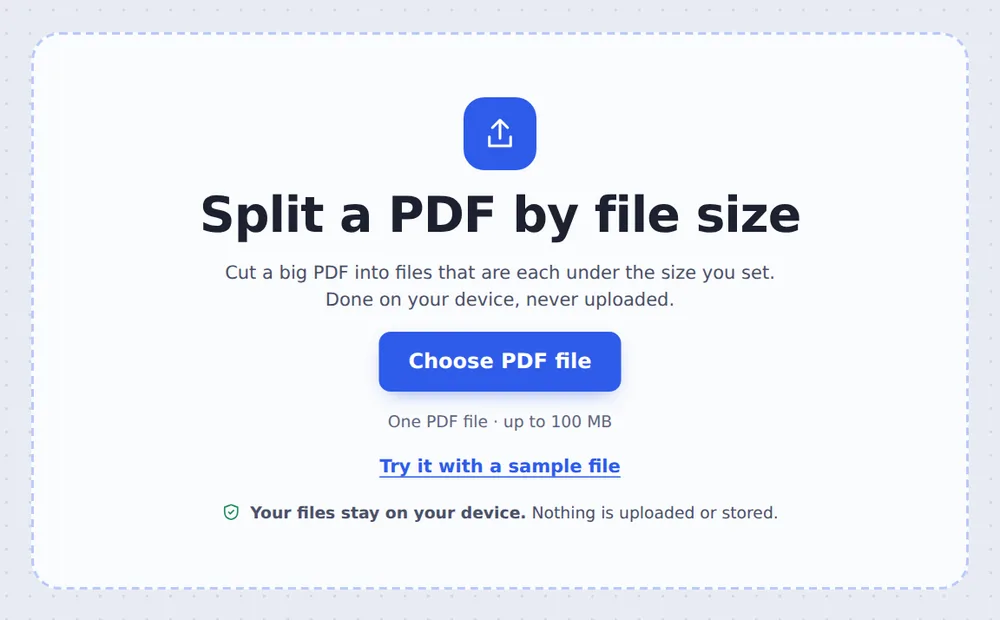
Choose your PDF
Click Choose PDF file or drop the large PDF on the tool above.

Set the size limit
Click a size such as 5 MB, or type your own in Largest file size. Then click Split PDF.
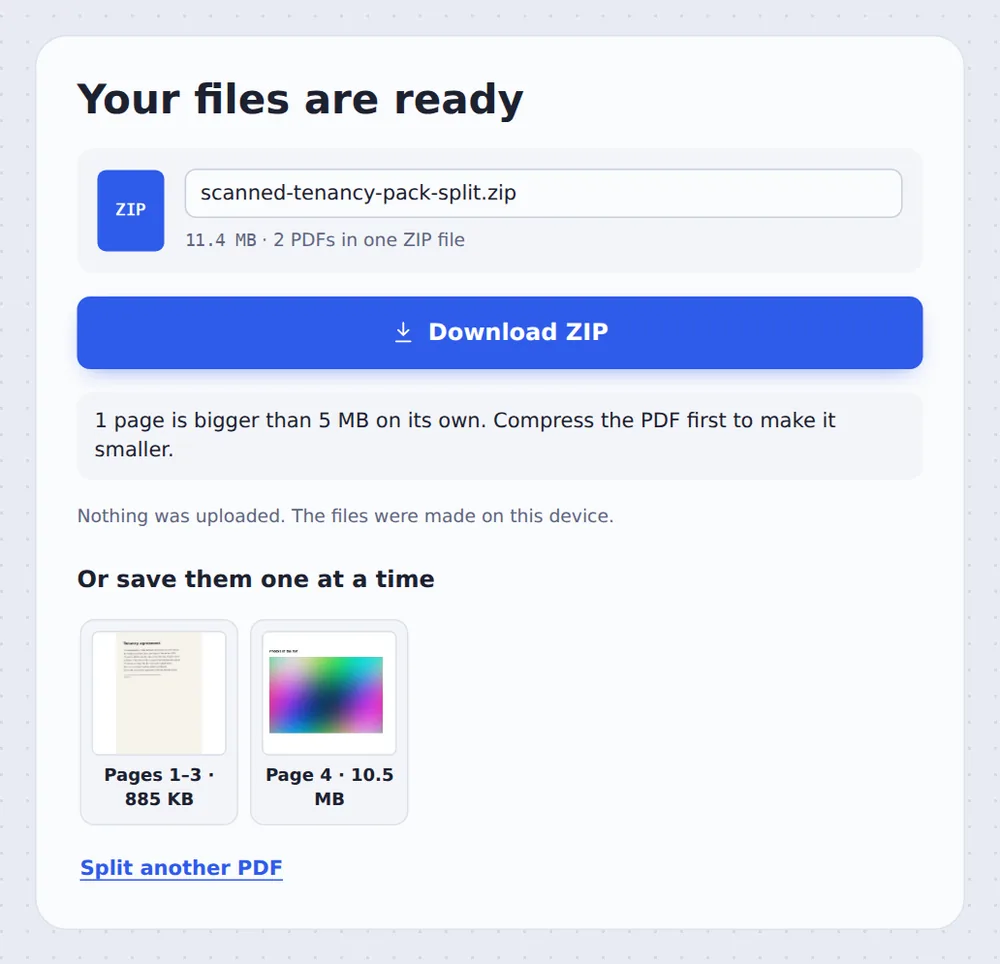
Download the parts
Download all the files in one ZIP, or save them one at a time. Each shows its size.
How the Size Limit Works
Most email services stop attachments at 20 or 25 MB, and many portals at 2, 5 or 10 MB. A long scanned document can easily be bigger.
When you split PDF by size here, pages are added to each file for as long as it stays under your limit, so you get as few files as possible. Pages are never cut in half and always stay in order.
If one page is bigger than the limit on its own, usually a high-resolution scan, it gets a file of its own and the tool tells you. Compress the PDF first to fix that.
Fewest files
Each part filled up to the limit.
In order
Pages are never cut or shuffled.
Big pages flagged
You are told when compressing helps.
Size Limits You Will Meet
Pick the limit of where the file is going.
| Typical limit | Choose | |
|---|---|---|
| Gmail and Outlook attachments | 20–25 MB | 20 MB |
| Government and visa portals | 2–5 MB | 2 MB or 5 MB |
| University and job portals | 5–10 MB | 5 MB |
| Messaging apps | Varies | 10 MB |
Split PDF by Size Without Uploading
Large files are slow to upload, and the ones that are too big to email are often private scans. TickPDF splits them inside your own browser tab, so they never leave your device.
There is no account and no copy on our side.
- 0files uploadedYour PDF stays on your device.
- 0copies keptWe never see your pages.
- 0accounts neededOpen the page and start.

Works on iPhone, Android or Computer
- Windows
- Mac
- Linux
- Chromebook
- iPhone
- iPad
- Android
Open this page in your phone's browser, choose the PDF, tap a size and tap Split PDF.
It works the same on Windows, Mac, Linux and Chromebook, with nothing to install.
When a PDF Is Too Big
People split PDF by size for email, portals and messaging apps.
Email attachments
Send a big file in several emails.
Application portals
Visa, mortgage and job uploads.
Rental and loan packs
Long scanned bundles.
Coursework
Learning platforms with small limits.
Medical records
Large scans for insurers.
Archives
Huge reports in manageable parts.
Tips for Splitting Large Files
- Compress firstOften the whole file then fits in one go.
- Leave a marginChoose 4.5 MB if the limit is exactly 5 MB.
- Delete extra pagesRemove blank pages before splitting.
- By chapter instead?Use Split by bookmarks for logical parts.
- Join them laterMerge PDF puts the parts back together.
- Keep the originalYour original PDF is not changed.
More PDF Tools
They all run in the same private editor.
Compress PDF
Make the file smaller.
Split PDF
Cut a PDF wherever you want.
Split by bookmarks
One file per chapter.
Delete PDF pages
Remove pages you do not need.
Merge PDF
Join files into one document.
Split PDF in half
Cut book spreads in two.

Split PDF by Size: Frequently Asked Questions
Answers to what people ask about splitting large files.
How do I split a PDF by size?
Choose your PDF at the top of this page, type the largest size each file may have, such as 5 MB, and click Split PDF. You get as few files as possible, each under the limit.
Can I split a PDF by size for free?
Yes. The free plan works on PDFs up to 50 pages and 20 MB, with 3 downloads a day, no account and no watermark. TickPDF Pro removes these limits.
Can I split a PDF by size online?
Yes. The tool runs in your web browser on Windows, Mac, Linux and Chromebook, with nothing to install. Open your PDF at the top of this page to start.
How do I split a PDF by size on my phone?
Open this page in your phone's browser, choose the PDF, pick a size such as 2 MB and tap Split PDF. There is no app to install.
Can I split a PDF by size without Adobe Acrobat?
Yes. You do not need Acrobat or any other software. The tool runs in your browser, and the new PDF opens in Acrobat, Preview, Chrome and every other PDF reader.
Is it safe to split a PDF by size online?
Yes. Your PDF is not uploaded. It is opened and processed inside your browser tab and never sent to our servers, so nobody else sees it. Close the tab and nothing is left behind.
Are pages ever cut in two?
No. Pages are never cut and they stay in order. If a single page is bigger than the limit on its own, it gets a file to itself and the tool tells you, so you can compress it.
What is the easiest way to split a PDF by size?
Open the PDF above, click one of the size buttons such as 10 MB, and click Split PDF.
Ready to Split Your Big PDF?
No account, no upload and no watermark: choose your PDF at the top of this page.
Open the toolTickPDF cuts large files into smaller ones on your own device. Choose your file and split PDF by size today.