
Unlock PDF Files Online Free
Unlock PDF files you own: no more typing the password, no more blocked printing or copying.
- No upload
- Removes restrictions
- No sign-up
- Password never sent

Unlock PDF files that ask for a password every time, or that will not let you print, copy or edit. Type the password once, and you get a copy that opens freely. The file and the password stay on your device and are never uploaded.
How to Unlock PDF Files
You need the password once, if the file has one.

Choose your PDF
Click Choose PDF file or drop the locked PDF on the tool above.

Type the password
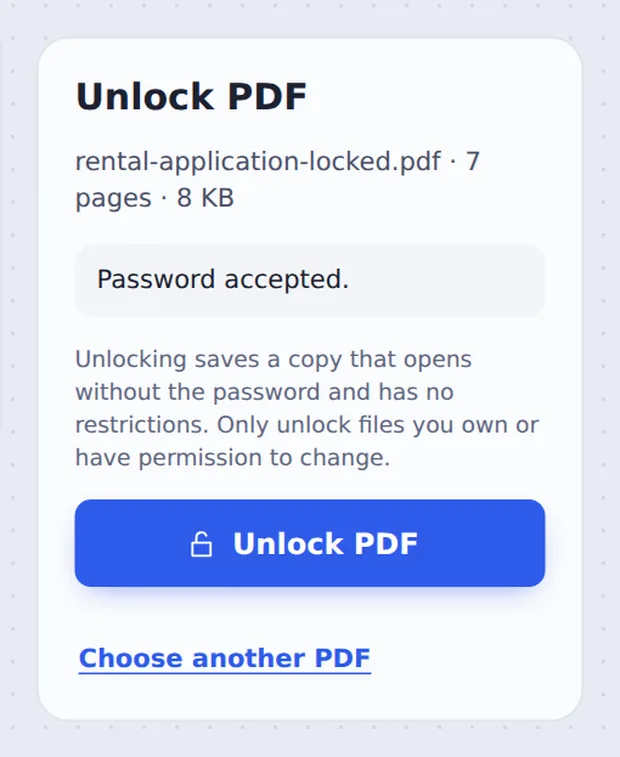
If the PDF needs a password to open, type it and click Open with this password. Files that only block printing or copying open straight away.

Unlock and download
Click Unlock PDF, then Download PDF. The new copy has no password and no restrictions.
Two Kinds of Locked PDF
Some PDFs ask for a password before they open. Banks, payroll systems and phone companies often send statements this way. Typing it every time gets old, and some apps and upload forms cannot open protected files at all.
Other PDFs open normally but stop you from printing, copying text or filling in forms. These restrictions are set by whoever made the file.
This tool handles both kinds. For the first, you need the password: it cannot be guessed or skipped. Please only unlock files you own or have permission to change.
Open password
Type it once; the copy opens without it.
Restrictions
Printing, copying and editing allowed again.
Encryption
AES-256, AES-128 and older RC4.
Type It Once, Then Never Again
The tool asks for the password only when the file needs one.
Before and After
The pages stay exactly the same.
| Before | After | |
|---|---|---|
| Opening | Asks for a password | Opens straight away |
| Printing | May be blocked | Allowed |
| Copying text | May be blocked | Allowed |
| Editing and forms | May be blocked | Allowed in any editor |
Private by Design, With No Upload
Most unlock tools ask you to upload both the file and its password. TickPDF does everything inside your own browser tab, so neither ever reaches our servers.
There is no account and no copy on our side.
- 0files uploadedYour PDF stays on your device.
- 0passwords sentWe never see it.
- 0accounts neededOpen the page and start.

Works on iPhone, Android and Computer
- Windows
- Mac
- Linux
- Chromebook
- iPhone
- iPad
- Android
Open this page in your phone's browser, choose the PDF, type the password if asked and tap Unlock PDF.
It works the same on Windows, Mac, Linux and Chromebook, with nothing to install.
When People Use This Tool
For files you already have the right to open.
Bank statements
Monthly PDFs that ask for a password every time.
Payslips
Payroll files you need to send to a landlord or lender.
Upload forms
Portals that reject protected PDFs.
Your own documents
Files you locked yourself and no longer need to.
Copy and print
Brochures and reports with printing turned off.
Merging
Protected files must be unlocked before joining.
Pro Tips for Faster Results
- Check capital lettersPasswords are case-sensitive.
- Bank passwordsOften your date of birth or part of your ID; check the email.
- Store it safelyThe unlocked copy opens for anyone who has it.
- Lock it againUse Protect PDF to set a new password.
- Then merge or editUnlocked files work in every tool.
- Only your filesUnlock only what you own or may change.
More PDF Tools
Like the tool to unlock PDF files, they all run in the same private editor.
Protect PDF
Add a new password.
Merge PDF
Join the unlocked files.
Edit PDF Text
Change words in the file.
Compress PDF
Make the file smaller.
PDF to Text
Copy all the text out.
Sign PDF
Sign the document.

Unlock PDF: Frequently Asked Questions
Answers to what people ask before they remove a password.
How do I unlock a PDF?
Choose the PDF at the top of this page. If it asks for a password, type it once and click Open with this password. Then click Unlock PDF and download a copy that opens without a password.
Can I remove a password from a PDF?
Yes, if you know it. Open the PDF in the tool above, type the password once, and click Unlock PDF. The new copy has no password and no restrictions.
How do I unlock a PDF for editing?
Some PDFs open normally but block printing, copying or editing. Choose the file in the tool above and click Unlock PDF; the copy you download has those restrictions removed, so you can edit it in the TickPDF editor.
Can I unlock a PDF online for free?
Yes. The free plan covers everyday files, with no account and no watermark. The file is unlocked in your browser and never uploaded.
Can I unlock a PDF without Adobe Acrobat?
Yes. You do not need Acrobat or any other software. The tool runs in your browser, and the unlocked PDF opens in every PDF reader.
How do I remove PDF restrictions?
Choose the PDF in the tool above and click Unlock PDF. Printing, copying and editing limits are removed, and no password is needed for files that only had restrictions.
Can I unlock a PDF on my phone?
Yes. Open this page in your phone's browser, choose the PDF, type its password if asked and tap Unlock PDF. There is no app to install.
What can I do if I forgot my PDF password?
We cannot open a PDF without its password, and nobody can recover it for you: strong PDF encryption is designed that way. Check with the person or company who sent it, look for the password in their email or letter, and try the passwords you usually use for that account.
Ready to Unlock Your PDF?
No account and no upload: choose your PDF at the top of this page.
Open the toolTickPDF removes the password on your own device. Choose your file and unlock PDF documents today.