
PDF to Text Online Free
PDF to text in seconds: pull every word out of a PDF so you can copy, edit or reuse it.
- No upload
- Copy or download
- No sign-up
- Choose the pages

Turn PDF to text when you need the words, not the layout. Choose the pages, click once, then copy the text or save it as a .txt file that opens anywhere. The PDF is read on your device and never uploaded.
How to Convert PDF to Text
No settings to learn.

Choose your PDF
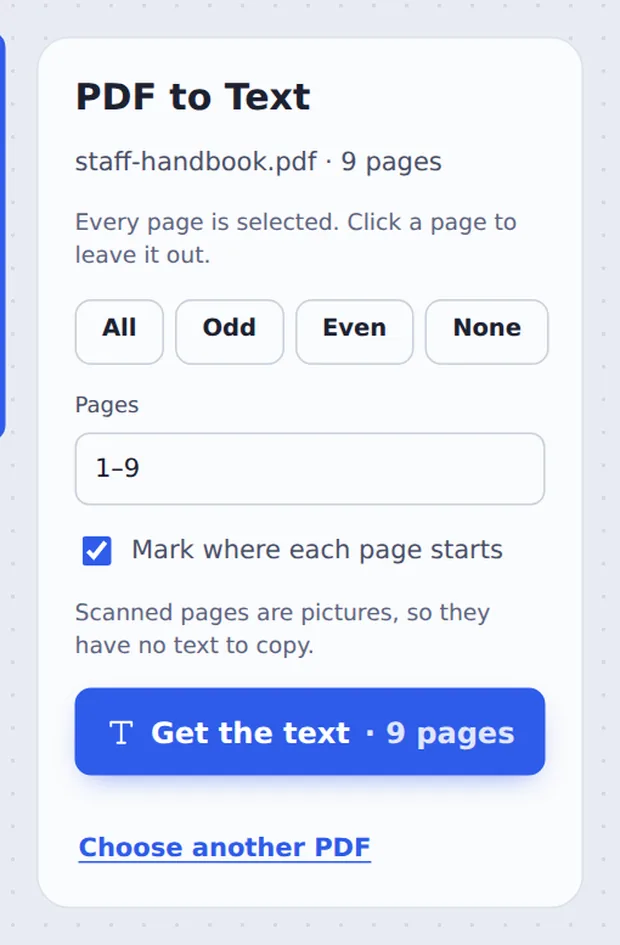
Click Choose PDF file or drop the PDF on the tool above. Every page is selected.
Pick the pages
Click a page to leave it out, or type pages such as 2-5. Keep Mark where each page starts ticked to see where each page begins. Then click Get the text.

Copy or download
Click Copy all text to paste it anywhere, or Download TXT to save a plain text file.
What PDF to Text Conversion Gives You
A PDF keeps text in exact positions on the page, which is perfect for reading and printing but awkward when you want to reuse the words. Copying from a PDF reader often grabs the wrong lines or breaks sentences.
This PDF to text tool reads the text of each page in order and puts it into one clean, plain file. Paste it into an email, a document, a spreadsheet, a translator or an AI tool, or search it with any text editor.
Scanned pages are photos of paper, so they hold no real text. If a page has nothing to copy, the tool tells you.
Plain text
Opens in Notepad, TextEdit, Word and Google Docs.
Your pages
All of them, or just the ones you choose.
Page markers
A short line shows where each page starts.
Pick Exactly the Pages You Need
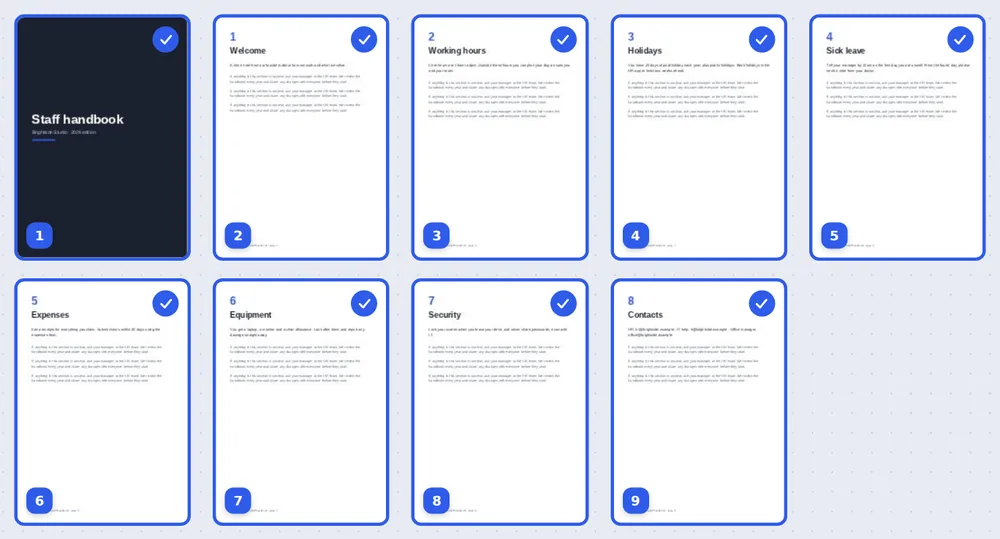
Every page starts ticked. Click one to leave it out.
Which PDFs Work Best
The result depends on how the PDF was made.
| What you get | Why | |
|---|---|---|
| Saved from Word, Docs or a website | All the text, in reading order | The words are stored as real text |
| Invoices, statements and forms | All the text, line by line | Made by software, so the text is real |
| Scans and phone photos | Little or no text | The page is a picture of the words |
Convert PDF to Text Without Uploading
Contracts, statements and reports often hold private details. TickPDF reads the text inside your own browser tab, so the document never leaves your device.
There is no account and no copy on our side.
- 0files uploadedYour PDF stays on your device.
- 0copies keptWe never see your text.
- 0accounts neededOpen the page and start.

PDF to Text on iPhone, Android or Computer
- Windows
- Mac
- Linux
- Chromebook
- iPhone
- iPad
- Android
Open this page in your phone's browser, choose the PDF and tap Get the text. Copy all text and paste it into notes, email or chat.
It works the same on Windows, Mac, Linux and Chromebook, with nothing to install.
When People Need the Text
Whenever the words matter more than the layout.
Quotes and reports
Reuse paragraphs in a new document.
Study notes
Pull lecture slides and papers into your notes.
Translation
Paste the text into a translator.
Searching
Find words across a long file in any text editor.
AI tools
Give a chatbot clean text instead of a file.
Data entry
Copy names, numbers and addresses from forms.
Tips for Better PDF to Text Results
- Only the pages you needType a range like 3-7 to skip covers and appendices.
- Untick page markersFor one continuous text, turn off Mark where each page starts.
- Edit in placeTo change words in the PDF itself, use Edit PDF Text instead.
- Scans need OCRA scan is a picture; it has no text to pull out.
- Keep the originalYour PDF is not changed.
- Check tablesTables come out line by line, so tidy them after pasting.
More PDF Tools
Like the PDF to text converter, they all run in the same private editor.
Edit PDF Text
Change words inside the PDF.
PDF to JPG
Save pages as images.
Extract PDF pages
Save some pages as a new PDF.
Find and Replace
Search and change words.
Split PDF
Cut a long file into parts.
Compress PDF
Make the file smaller.

PDF to Text: Frequently Asked Questions
Answers to what people ask before they extract text.
How do I convert PDF to text?
Click Choose PDF file or drop your PDF on the tool at the top of this page. Every page is selected, so click Get the text. Copy the text straight from the box, or download it as a .txt file.
Can I convert PDF to text for free?
Yes. The free plan works on PDFs up to 50 pages and 20 MB, with 3 downloads a day, no account and no watermark. TickPDF Pro removes these limits.
Can I convert PDF to text online?
Yes. The converter runs in your web browser on Windows, Mac, Linux and Chromebook, with nothing to install. Open your PDF at the top of this page to start.
How do I convert PDF to text on my phone?
Open this page in your phone's browser, tap Choose PDF file and tap Get the text. Tap Copy all text to paste it into notes, email or chat, or download the .txt file. There is no app to install.
Can I convert PDF to text without Adobe Acrobat?
Yes. You do not need Acrobat or any other software. The text file opens in Notepad, TextEdit, Word, Google Docs and every other text app.
Is it safe to convert PDF to text online?
Yes. Your PDF is not uploaded. It is opened and processed inside your browser tab and never sent to our servers, so nobody else sees it. Close the tab and nothing is left behind.
Why is no text found in my PDF?
The PDF is probably a scan or a photo of a document. Its pages are pictures, so there are no letters to copy. The tool tells you which pages have no text. Pages typed on a computer and saved as PDF always work.
What is the easiest way to convert PDF to text?
Drop the PDF on the tool above and click Get the text. Every page is selected for you, and Mark where each page starts adds a short line between pages so you can find your place.
Ready to Get the Text?
No account, no upload and no watermark: choose your PDF at the top of this page.
Open the toolTickPDF reads every page on your own device. Choose your file and convert PDF to text today.