
Flip PDF Online Free
Flip PDF pages in seconds: make a mirror image, or fix one.
- No upload
- Live preview
- No sign-up
- Sharp vector result

Flip PDF pages to make a mirror image for iron-on transfers, screen printing and light boxes, or to fix scans and prints that came out mirrored. Choose left to right or top to bottom, and the preview shows every page first. Nothing is uploaded.
How to Flip PDF Pages
The thumbnails turn as soon as you choose.

Choose your PDF
Click Choose PDF file or drop the PDF on the tool above. Every page is selected.

Pick the direction
Choose Left to right or Top to bottom, and click any page to leave it as it is. Then click Flip pages.
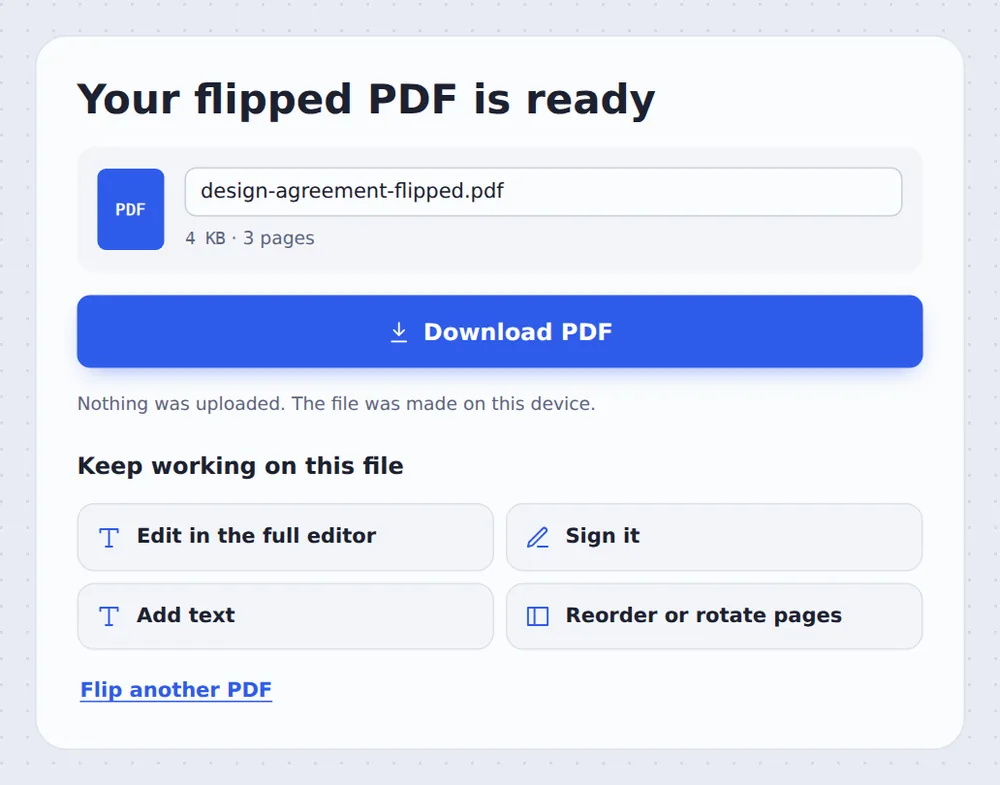
Download the result
Click Download PDF and print it, or open it in the editor.
Flip or Rotate?
Flipping makes a mirror image: text reads backwards, as in a reflection. Rotating turns the page round without mirroring it.
Flip PDF pages when you need a reversed print, such as a T-shirt transfer, a tattoo or screen-printing stencil, or artwork for a window that is read from outside. It also fixes scans from devices that save pages mirrored.
The pages are mirrored as vector content, so text and lines stay perfectly sharp when you print.
Left to right
The usual mirror image.
Top to bottom
Mirrored upside down.
Sharp
Vector quality for printing.
Check the Mirror Image First
Selected pages are shown flipped, so you know exactly what you will get.

Flip PDF Pages Without Uploading
TickPDF mirrors your pages inside your own browser tab, so your designs and documents never leave your device.
There is no account and no copy on our side.
- 0files uploadedYour PDF stays on your device.
- 0copies keptWe never see your pages.
- 0accounts neededOpen the page and start.

Works on iPhone, Android and Computer
- Windows
- Mac
- Linux
- Chromebook
- iPhone
- iPad
- Android
Open this page in your phone's browser, choose the PDF and tap Flip pages.
It works the same on Windows, Mac, Linux and Chromebook, with nothing to install.
When People Use This Tool
Most uses are about printing.
Iron-on transfers
T-shirt and fabric transfer paper.
Screen printing
Reversed film and stencils.
Window signs
Read from the other side of the glass.
Mirrored scans
Fix pages a device saved backwards.
Art and craft
Tracing and light-box work.
Stamps and engraving
Designs that print the right way round.
Pro Tips for Faster Results
- Check your printerSome transfer printers mirror on their own.
- Only some pagesClick pages to leave them unflipped.
- Upside down?Use Rotate PDF to turn pages instead.
- Crop firstTrim margins before printing transfers.
- Save paperPut several designs on one sheet with Pages per sheet.
- Keep the originalYour original PDF is not changed.
More PDF Tools
Like the tool to flip PDF pages, they all run in the same private editor.
Rotate PDF
Turn pages the right way up.
Crop PDF
Trim the margins.
Pages per sheet
Print several pages on one sheet.
Resize PDF pages
Change the page size.
PDF Editor
Edit text, sign and annotate.
Compress PDF
Make the file smaller.

Flip PDF: Frequently Asked Questions
Answers to what people ask before they mirror a PDF.
How do I flip a PDF?
Choose your PDF at the top of this page, pick Left to right or Top to bottom, and click Flip pages. The preview shows the mirror image first.
Can I flip a PDF for free?
Yes. The free plan works on PDFs up to 50 pages and 20 MB, with 3 downloads a day, no account and no watermark. TickPDF Pro removes these limits.
Can I flip a PDF online?
Yes. The tool runs in your web browser on Windows, Mac, Linux and Chromebook, with nothing to install. Open your PDF at the top of this page to start.
How do I flip a PDF on my phone?
Open this page in your phone's browser, choose the PDF, pick the direction and tap Flip pages. There is no app to install.
Can I flip a PDF without Adobe Acrobat?
Yes. You do not need Acrobat or any other software. The tool runs in your browser, and the new PDF opens in Acrobat, Preview, Chrome and every other PDF reader.
Is it safe to flip a PDF online?
Yes. Your PDF is not uploaded. It is opened and processed inside your browser tab and never sent to our servers, so nobody else sees it. Close the tab and nothing is left behind.
What is the difference between flipping and rotating?
Flipping makes a mirror image, like a reflection, which fixes scans and prints that came out mirrored. Rotating turns the page round without mirroring it; use Rotate PDF for that.
What is the easiest way to flip a PDF?
Open the PDF above, keep Left to right and click Flip pages. Every page is selected for you.
Ready to Flip PDF Pages?
No account, no upload and no watermark: choose your PDF at the top of this page.
Open the toolTickPDF mirrors your pages on your own device. Choose your file and flip PDF pages today.