
Convert PDF to Black and White Online Free
Convert PDF to black and white: save colour ink and print crisp pages.
- No upload
- Live preview
- No sign-up
- Grey or pure B&W

Convert PDF to black and white before printing on a mono laser printer, sending to a print shop that charges for colour, or submitting to a portal that asks for grayscale. Choose soft grey or pure black and white, check the preview, and download. Nothing is uploaded.
How to Convert PDF to Black and White
The thumbnails change as you choose.
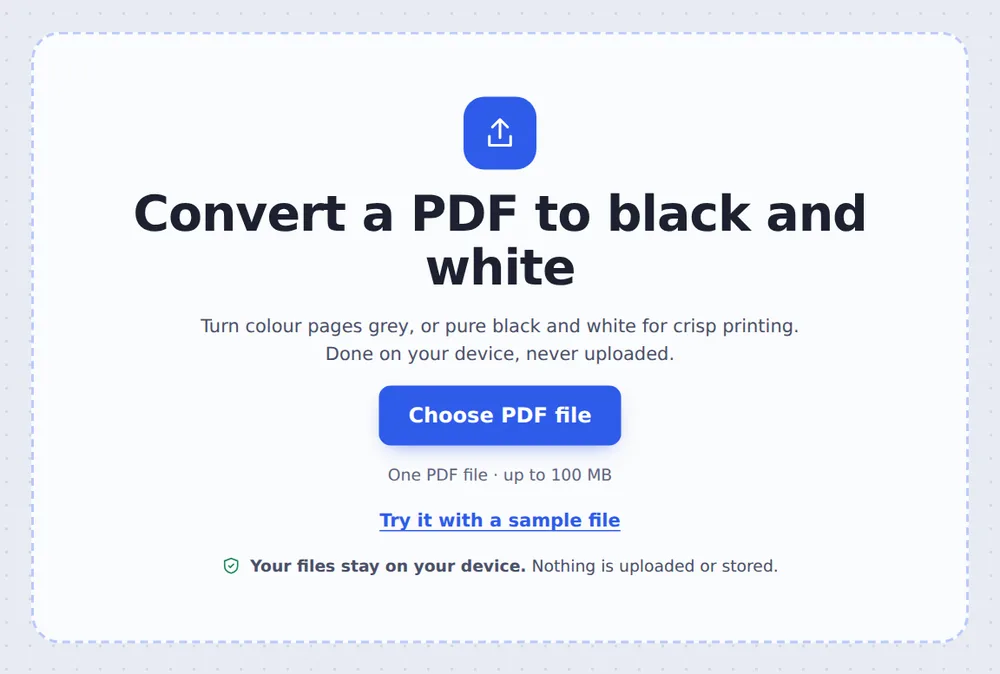
Choose your PDF
Click Choose PDF file or drop the PDF on the tool above. Every page is selected.
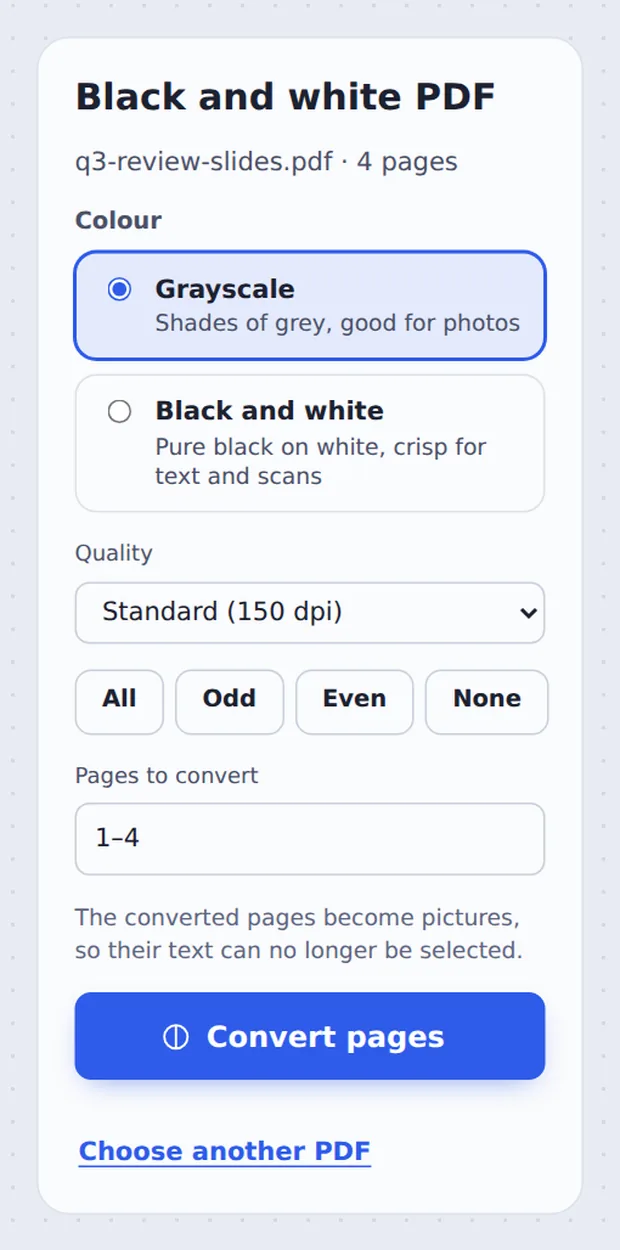
Pick the colour and quality
Choose Grayscale or Black and white, and the Quality. Then click Convert pages.

Download the result
Click Download PDF and print it.
Grayscale or Black and White?
Grayscale turns every colour into a shade of grey. Photos, charts and logos keep their detail, just without colour. It suits most documents.
Black and white keeps only pure black and pure white. Text and line drawings come out very crisp, and faint scans become easier to read. It is ideal for forms, letters and scans.
When you convert PDF to black and white here, the converted pages are saved as pictures, which is what guarantees they contain no colour at all. Their text can no longer be selected, so keep your original if you need it.
Grayscale
Shades of grey for photos and charts.
Black and white
Crisp for text and scans.
Ink saved
No colour cartridges used.
See Every Page in Grey First
Switch between Grayscale and Black and white and the pages update at once.

Which Quality to Choose
When you convert PDF to black and white, higher quality means sharper pages and bigger files.
| Sharpness | Best for | |
|---|---|---|
| Standard (150 dpi) | Clear on screen and in print | Most documents and email |
| High (200 dpi) | Sharper small text | Forms and contracts |
| Print (300 dpi) | Print-shop quality | Professional printing |
Clean Grey Pages, Ready to Print
Open the result in the editor to sign or add notes before printing.

Convert PDF to Black and White Without Uploading
TickPDF converts your pages inside your own browser tab, so documents never leave your device.
There is no account and no copy on our side.
- 0files uploadedYour PDF stays on your device.
- 0copies keptWe never see your pages.
- 0accounts neededOpen the page and start.

Convert PDF to Black and White on iPhone, Android or Computer
- Windows
- Mac
- Linux
- Chromebook
- iPhone
- iPad
- Android
Open this page in your phone's browser, choose the PDF and tap Convert pages.
It works the same on Windows, Mac, Linux and Chromebook, with nothing to install.
When People Remove the Colour
Common reasons to go grey.
Mono printers
Laser printers without colour.
Print shops
Avoid colour printing charges.
Submissions
Portals that ask for grayscale.
Faint scans
Black and white makes them readable.
Exams and worksheets
Clear copies for a class.
Archives
Consistent records without colour.
Tips for Better Black and White Pages
- Photos: grayscaleBlack and white loses detail in photos.
- Scans: black and whiteIt cleans up grey backgrounds.
- Only some pagesClick pages to keep them in colour.
- Smaller filesUse Standard quality, then compress.
- Need the text?Keep the original; converted pages are pictures.
- Keep the originalYour original PDF is not changed.
More PDF Tools
They all run in the same private editor.
Compress PDF
Make the file smaller.
Pages per sheet
Print several pages on one sheet.
Resize PDF pages
Change the page size.
Deskew PDF
Straighten crooked scans.
PDF to JPG
Save pages as images.
PDF Editor
Edit text, sign and annotate.

Convert PDF to Black and White: Frequently Asked Questions
Answers to what people ask before removing colour.
How do I convert a PDF to black and white?
Choose your PDF at the top of this page, pick Grayscale or Black and white, and click Convert pages. The preview shows the result before you convert.
Can I convert a PDF to black and white for free?
Yes. The free plan works on PDFs up to 50 pages and 20 MB, with 3 downloads a day, no account and no watermark. TickPDF Pro removes these limits.
Can I convert a PDF to black and white online?
Yes. The tool runs in your web browser on Windows, Mac, Linux and Chromebook, with nothing to install. Open your PDF at the top of this page to start.
How do I convert a PDF to black and white on my phone?
Open this page in your phone's browser, choose the PDF and tap Convert pages. There is no app to install.
Can I convert a PDF to black and white without Adobe Acrobat?
Yes. You do not need Acrobat or any other software. The tool runs in your browser, and the new PDF opens in Acrobat, Preview, Chrome and every other PDF reader.
Is it safe to convert a PDF to black and white online?
Yes. Your PDF is not uploaded. It is opened and processed inside your browser tab and never sent to our servers, so nobody else sees it. Close the tab and nothing is left behind.
Can I still select the text afterwards?
No. The converted pages are saved as pictures, which is what makes them truly grey or black and white. Keep your original PDF if you need the text.
What is the easiest way to convert a PDF to black and white?
Open the PDF above and click Convert pages. Grayscale is chosen for you, which suits photos and most documents.
Ready to Go Black and White?
No account, no upload and no watermark: choose your PDF at the top of this page.
Open the toolTickPDF removes the colour on your own device. Choose your file and convert PDF to black and white today.