
Combine PDF Alternate Pages Online Free
Combine PDF alternate pages from a one-sided scanner into one document in the right order.
- No upload
- Reverse backs
- No sign-up
- One or two files

Combine PDF alternate pages when your scanner only does one side at a time. Scan the fronts, turn the stack over, scan the backs, and drop both files here. The pages are mixed back into 1, 2, 3, 4 order on your device, with no upload.
How to Combine PDF Alternate Pages
Most stacks work with the default settings.
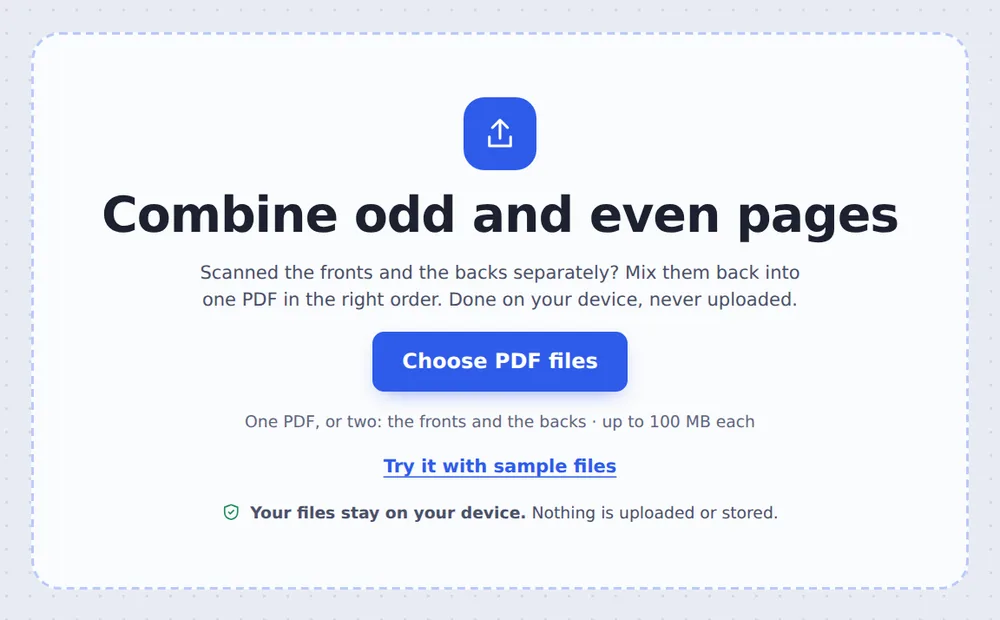
Choose both scans
Click Choose PDF files and pick the fronts PDF and the backs PDF. The first is marked Fronts and the second Backs.
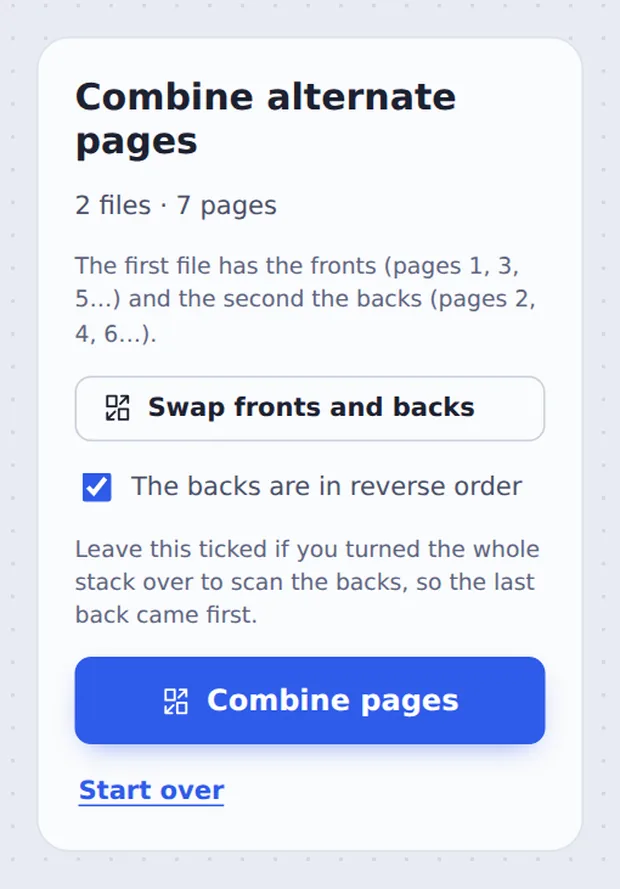
Check the order
Leave The backs are in reverse order ticked if you turned the stack over to scan the backs. Use Swap fronts and backs if you added them the other way round.
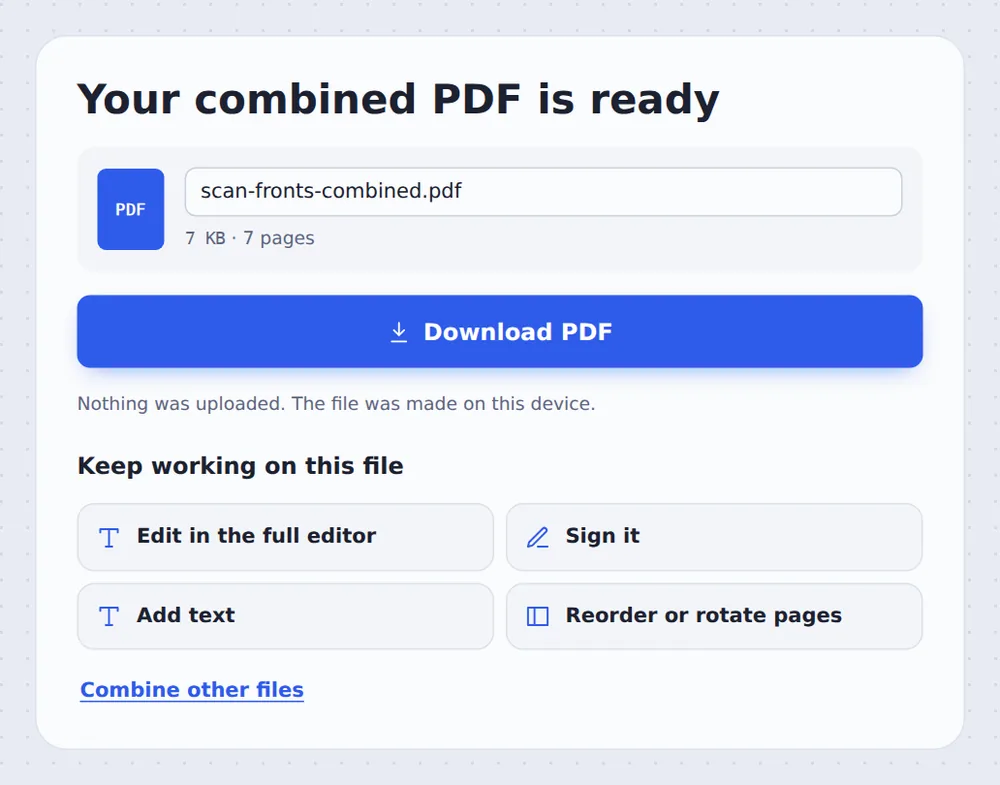
Combine and download
Click Combine pages and download the PDF, or open it in the editor to check the pages.
Why Pages Come Out of Order
Many office scanners and printers with a document feeder scan only one side of the paper. To copy a double-sided document you scan the stack once for the fronts (pages 1, 3, 5…) and again for the backs (pages 2, 4, 6…).
When you turn the whole stack over, the backs come out last-page-first: 6, 4, 2. This tool reverses them and slots each back after its front, so you combine PDF alternate pages into one document that reads straight through.
If both scans ended up in one PDF, drop just that file: the first half is used as the fronts and the second half as the backs.
Interleaved
Front, back, front, back.
Reverse backs
Fixes the 6, 4, 2 order automatically.
Full quality
Pages are copied, not redrawn.
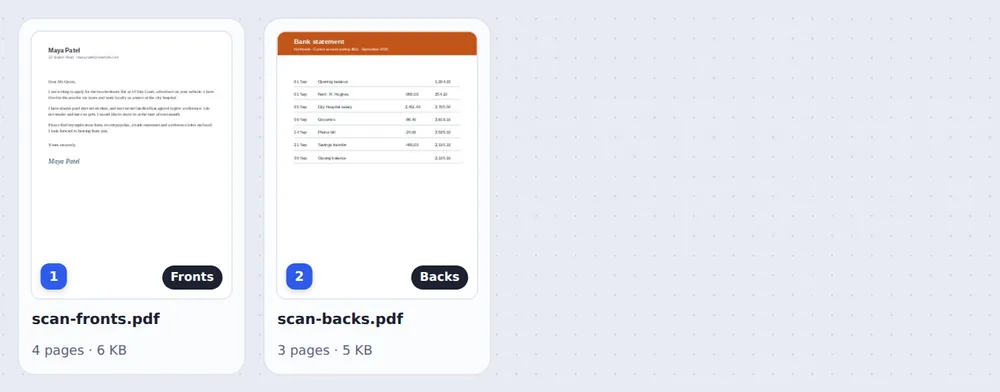
Fronts and Backs, Clearly Marked
Each file is tagged, so you can see which one is which before you combine.
Which Setting Do I Need?
It depends on how you scanned the backs.
| What to do | Result | |
|---|---|---|
| Turned the whole stack over | Keep "reverse order" ticked | 1, 2, 3, 4, 5, 6 |
| Took the pages back to the start one by one | Untick "reverse order" | 1, 2, 3, 4, 5, 6 |
| Added the backs first | Click Swap fronts and backs | Fronts first again |
| Both sides in one PDF | Add just that file | First half fronts, second half backs |
One Document That Reads Straight Through
Open the result in the editor to scroll through it, delete blank backs or rotate a page.

Combine Scans Without Uploading Them
Scanned paperwork is often private: contracts, bank letters, medical forms. TickPDF puts the pages in order inside your own browser tab, so the scans never leave your device.
There is no account and no copy on our side.
- 0files uploadedYour scans stay on your device.
- 0copies keptWe never see your pages.
- 0accounts neededOpen the page and start.

Combine PDF Alternate Pages on iPhone, Android or Computer
- Windows
- Mac
- Linux
- Chromebook
- iPhone
- iPad
- Android
Open this page in your phone's browser, tap Choose PDF files, pick both scans and tap Combine pages.
It works the same on Windows, Mac, Linux and Chromebook, with nothing to install.
Who Needs to Combine PDF Alternate Pages
Anyone with a one-sided scanner and two-sided paper.
Leases and contracts
Double-sided agreements from a landlord or agent.
Forms
Applications printed on both sides.
Office scanning
Feeder scanners that only do one side.
Books and handouts
Course packs and printed notes.
Medical letters
Two-sided results and reports.
Archives
Old records being scanned in batches.
Tips to Combine PDF Alternate Pages in Order
- Turn the stack, not each sheetFlip the whole pile and keep reverse order ticked.
- Keep blank backsScan blank backs too so fronts and backs stay paired.
- Check in the editorOpen the result to scroll through the pages.
- Delete blanks afterRemove empty pages with Delete PDF Pages.
- Compress big scansMake the combined file small enough to email.
- Keep the originalsYour scans are not changed.
More PDF Tools
They all run in the same private editor.
Merge PDF
Join files one after another.
Rearrange PDF pages
Fix the order by hand.
Delete PDF pages
Remove blank backs.
Rotate PDF
Turn upside-down pages.
Compress PDF
Make big scans smaller.
Split PDF
Cut a file into parts.

Combine PDF Alternate Pages: Frequently Asked Questions
Answers to what people ask about one-sided scans.
How do I combine PDF alternate pages?
Choose the PDF with the fronts and the PDF with the backs at the top of this page. Leave "The backs are in reverse order" ticked if you turned the stack over to scan the backs, then click Combine pages.
Can I combine PDF alternate pages for free?
Yes. The free plan works on PDFs up to 50 pages and 20 MB, with 3 downloads a day, no account and no watermark. TickPDF Pro removes these limits.
Can I combine PDF alternate pages online?
Yes. The tool runs in your web browser on Windows, Mac, Linux and Chromebook, with nothing to install. Open your PDFs at the top of this page to start.
How do I combine PDF alternate pages on my phone?
Open this page in your phone's browser, tap Choose PDF files and pick both scans. Tap Combine pages and download the PDF. There is no app to install.
Can I combine PDF alternate pages without Adobe Acrobat?
Yes. You do not need Acrobat or any other software. The combined PDF opens in Acrobat, Preview, Chrome and every other PDF reader.
Is it safe to combine PDF alternate pages online?
Yes. Your PDF is not uploaded. It is opened and processed inside your browser tab and never sent to our servers, so nobody else sees it. Close the tab and nothing is left behind.
How do I combine PDF alternate pages without losing quality?
The pages are copied, not redrawn, so scans keep exactly the quality they had. Only the order changes.
What is the easiest way to combine PDF alternate pages?
Scan the fronts, turn the whole stack over and scan the backs, then drop both PDFs on the tool above and click Combine pages. If both sides are in one PDF, drop just that file: the first half is used as the fronts and the second half as the backs.
Ready to Put Your Scans in Order?
No account, no upload and no watermark: choose your scans at the top of this page.
Open the toolTickPDF mixes fronts and backs on your own device. Choose your files and combine PDF alternate pages today.