
EPUB to PDF Converter Online Free
EPUB to PDF: e-books as printable pages, a new page for every chapter.
- No upload
- Chapter breaks
- No sign-up
- Book size

Convert EPUB to PDF to print an e-book, read it on a device without an e-book app, or send it to someone who only opens PDFs. The chapters are laid out in reading order on A5 book-size pages, or A4 or Letter, with the book's pictures and styles, and each chapter starts on a new page. Nothing is uploaded.
How to Convert EPUB to PDF
Works with DRM-free e-books, such as those from Project Gutenberg, Standard Ebooks and many independent shops.
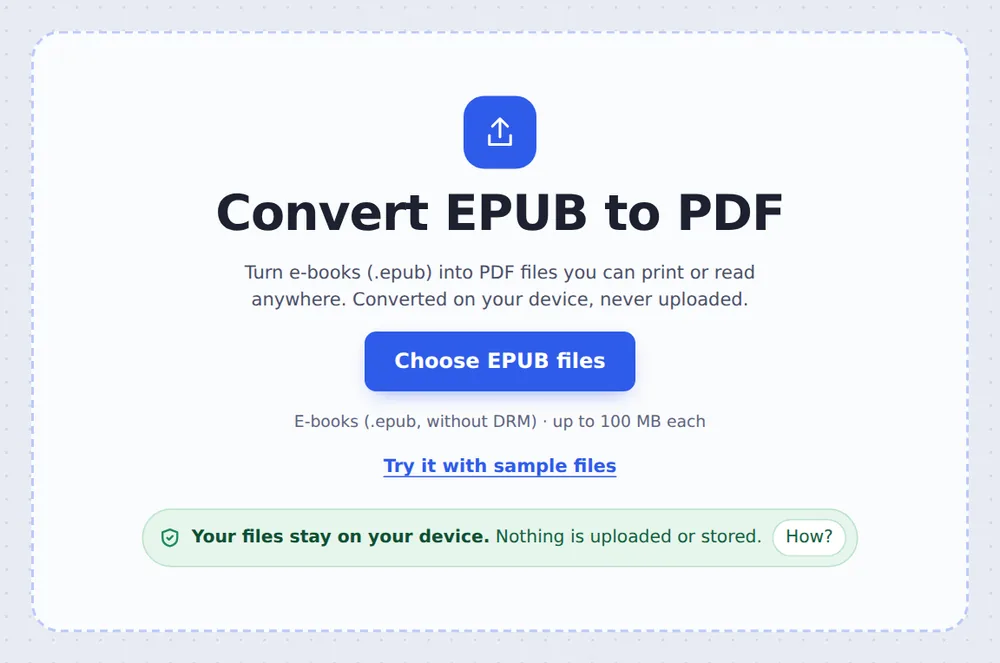
Choose your e-books
Click Choose EPUB files or drop .epub files on the tool above.
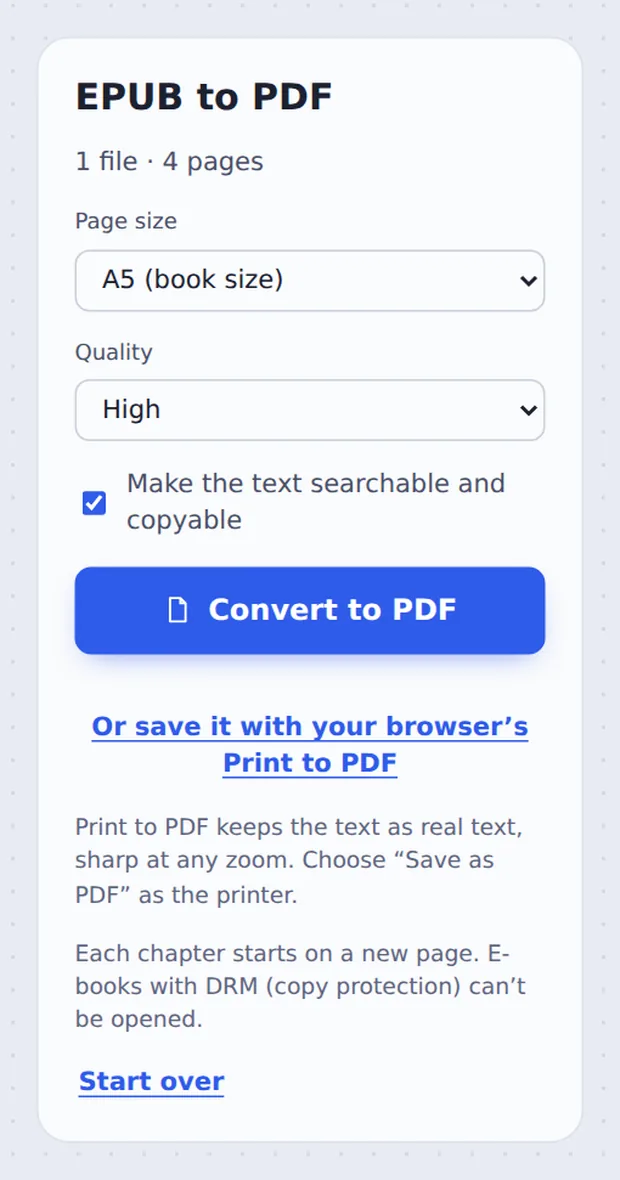
Pick the page size
Keep A5 (book size), or choose A4 or US Letter for printing at home, then click Convert to PDF.

Download the PDF
Click Download PDF. Several files come back together in one ZIP.
How an E-book Becomes Pages
An EPUB is a small website in a ZIP file: chapters written in HTML, a style sheet, pictures and a list of the reading order. To turn EPUB to PDF, the chapters are read in that order, the pictures and styles are put back in, and the whole book is laid out at the width of the page you chose.
Each chapter starts on a new page, and pages are cut between lines, so no sentence is split across a picture. The text stays searchable and copyable in the PDF.
E-books with DRM (copy protection), such as most Kindle and many shop-bought books, cannot be opened. Only DRM-free .epub files work.
Reading order
Chapters as in the book.
Chapter breaks
A new page each time.
Pictures
Kept in place.
The Story as a PDF
The sample e-book after conversion, opened in the editor.

E-book or PDF
Each is better for different things.
| EPUB | ||
|---|---|---|
| Text size | Changes with the screen | Fixed pages |
| Printing | Awkward | Easy |
| Opens on | E-book apps | Every device |
Private by Design, With No Upload
Your reading is your own business. TickPDF converts EPUB to PDF inside your own browser tab, so the book never leaves your device.
There is no account and no copy on our side.
- 0files uploadedYour e-book stays on your device.
- 0copies keptWe never see your pages.
- 0accounts neededOpen the page and start.

Works on iPhone, Android and Computer
- Windows
- Mac
- Linux
- Chromebook
- iPhone
- iPad
- Android
Open this page in your phone's browser, choose the .epub from Files and tap Convert to PDF.
It works the same on Windows, Mac, Linux and Chromebook, with nothing to install.
When People Use This Tool
People convert EPUB to PDF to print, annotate or share a book more easily.
Printing
A copy on paper.
Studying
Highlight and annotate.
Course readers
For a class.
Gifts
Print a favourite story.
Any device
No e-book app needed.
Self-publishing
Check your own book.
Pro Tips for Faster Results
- A5The size of a paperback.
- Print at homePick A4 or US Letter.
- DRMProtected books cannot be converted.
- AnnotateOpen the PDF in the editor.
- BookletsPrint 2 pages per sheet after.
- SearchThe text stays searchable.
Related Tools in the Same Editor
They all run in the same private editor.
HTML to PDF
Web pages into PDF.
Word to PDF
Turn .docx into PDF.
Annotate PDF
Highlight, draw and note.
Pages per sheet
Print several pages on one sheet.
Compress PDF
Make the file smaller.
PDF reader
Open and read PDFs online.

EPUB to PDF: Frequently Asked Questions
Answers to what people ask before they convert EPUB to PDF.
How do I convert EPUB to PDF?
Choose your .epub e-book at the top of this page, keep A5 (book size) or pick A4 or Letter, and click Convert to PDF.
Can I convert EPUB to PDF for free?
Yes. The free plan works on PDFs up to 50 pages and 20 MB, with 3 downloads a day, no account and no watermark. TickPDF Pro removes these limits.
Can I convert EPUB to PDF online?
Yes. The converter runs in your web browser on Windows, Mac, Linux and Chromebook, with nothing to install. Choose your .epub files at the top of this page.
How do I convert EPUB to PDF on my phone?
Open this page in your phone's browser, choose the .epub file from Files and tap Convert to PDF. There is no app to install.
Can I convert EPUB to PDF without Adobe Acrobat?
Yes. You need no Acrobat and no other software. The .epub file is converted in your browser, and the PDF opens in every PDF reader.
Is it safe to convert EPUB to PDF online?
Yes. Your file is not uploaded. It is opened and processed inside your browser tab and never sent to our servers, so nobody else sees it. Close the tab and nothing is left behind.
How do I convert EPUB to PDF without losing quality?
Choose High or Print quality, or click Save it with your browser's Print to PDF for text that stays sharp at any zoom. Pictures in the book are kept at their own size.
What is the easiest way to convert EPUB to PDF?
Drop the .epub file on the tool above and click Convert to PDF. Each chapter starts on a new page automatically.
Ready to Convert EPUB to PDF?
No account, no upload and no watermark: choose your e-books at the top of this page.
Open the toolTickPDF converts your e-books on your own device. Choose your files and convert EPUB to PDF today.