
Split PDF in Half Online Free
Split PDF in half: turn scanned book spreads into single pages.
- No upload
- Book spreads
- No sign-up
- A3 to A4

Split PDF in half when you scanned an open book two pages at a time, or have A3 sheets that should be two A4 pages. Every page is cut down the middle into a left and a right page, in reading order. You can also cut a document into two files. Nothing is uploaded.
How to Split PDF in Half
A red line shows where each page will be cut.
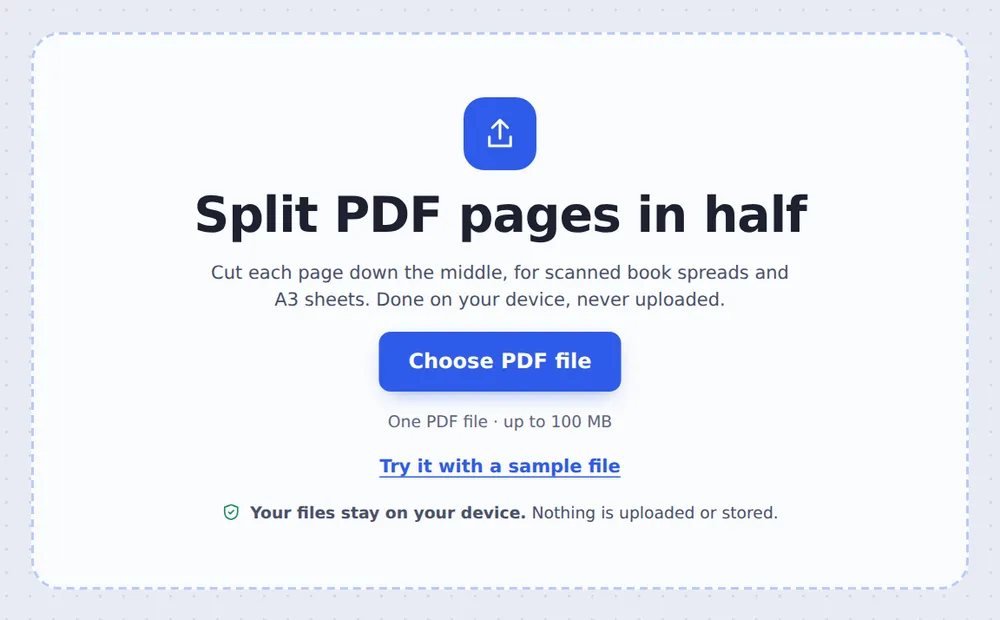
Choose your PDF
Click Choose PDF file or drop the PDF on the tool above.
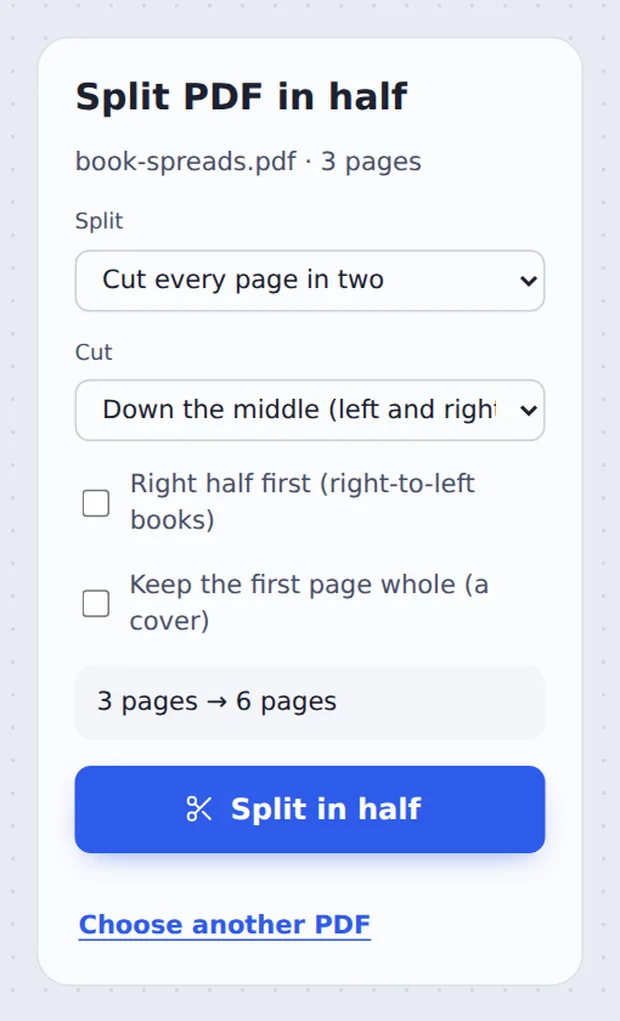
Choose how to cut
Pick Cut every page in two and Down the middle, or Two files. Tick Keep the first page whole for a cover. Click Split in half.
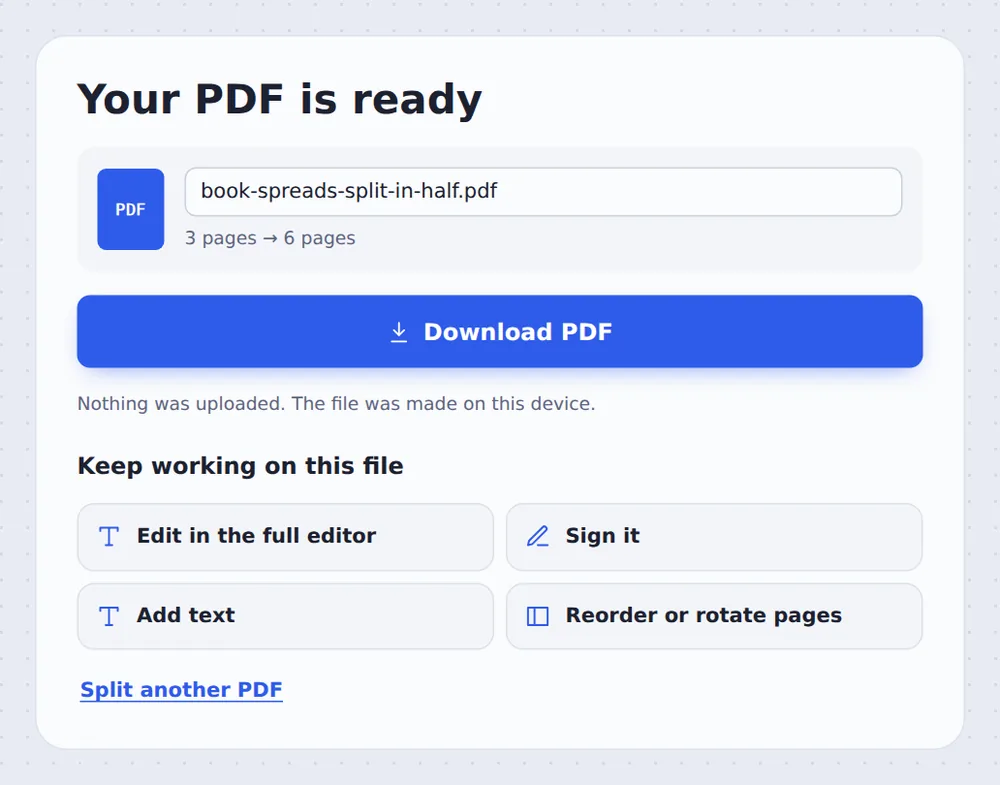
Download the result
Click Download PDF, or open it in the editor to check the pages.
Two Ways to Cut a PDF in Two
Cut every page in two is for pages that hold two pages each: open books and magazines scanned flat, A3 sheets printed as two A4 pages, and booklet spreads. Each page becomes a left and a right page.
Two files is for cutting a whole document at its middle page, for example to send it in two parts.
Pages are cut by changing their visible area, so text stays sharp and searchable, and nothing is scanned again.
Down the middle
Left and right pages.
Across the middle
Top and bottom pages.
Two files
First half and second half.
See the Cut Line on Every Page
Check the line before you split, and keep the cover whole if needed.

One Page per Page Again
The spreads become single pages in reading order.

Split PDF in Half Without Uploading
TickPDF cuts your pages inside your own browser tab, so scanned books and documents never leave your device.
There is no account and no copy on our side.
- 0files uploadedYour PDF stays on your device.
- 0copies keptWe never see your pages.
- 0accounts neededOpen the page and start.

Works on iPhone, Android or Computer
- Windows
- Mac
- Linux
- Chromebook
- iPhone
- iPad
- Android
Open this page in your phone's browser, choose the PDF and tap Split in half.
It works the same on Windows, Mac, Linux and Chromebook, with nothing to install.
When People Cut Pages in Two
People split PDF in half mostly for scans of books and large sheets.
Scanned books
Two pages per scan, made single.
Magazines
Spreads cut for reading on a phone.
A3 sheets
Split into two A4 pages.
Booklets
Printed spreads back to pages.
Two-up forms
Two forms on one sheet.
E-readers
Single pages read better on small screens.
Tips for Scanned Book Spreads
- Keep the cover wholeCovers are usually scanned on their own.
- Right-to-left booksTick Right half first for Arabic, Hebrew or manga.
- Straighten firstUse Deskew PDF for crooked scans.
- Trim the edgesCrop PDF removes dark scan borders afterwards.
- Into files?Use Split PDF to cut into separate files.
- Keep the originalYour original PDF is not changed.
More PDF Tools
They all run in the same private editor.
Split PDF
Cut a PDF wherever you want.
Crop PDF
Trim the margins.
Deskew PDF
Straighten crooked scans.
Rotate PDF
Turn pages the right way up.
Split by size
Files under an email limit.
Merge PDF
Join files into one document.

Split PDF in Half: Frequently Asked Questions
Answers to what people ask about cutting pages in two.
How do I split a PDF in half?
Choose your PDF at the top of this page. Pick Cut every page in two to split scanned book spreads into single pages, or Two files to cut the document at the middle page. Then click Split in half.
Can I split a PDF in half for free?
Yes. The free plan works on PDFs up to 50 pages and 20 MB, with 3 downloads a day, no account and no watermark. TickPDF Pro removes these limits.
Can I split a PDF in half online?
Yes. The tool runs in your web browser on Windows, Mac, Linux and Chromebook, with nothing to install. Open your PDF at the top of this page to start.
How do I split a PDF in half on my phone?
Open this page in your phone's browser, choose the PDF and tap Split in half. There is no app to install.
Can I split a PDF in half without Adobe Acrobat?
Yes. You do not need Acrobat or any other software. The tool runs in your browser, and the new PDF opens in Acrobat, Preview, Chrome and every other PDF reader.
Is it safe to split a PDF in half online?
Yes. Your PDF is not uploaded. It is opened and processed inside your browser tab and never sent to our servers, so nobody else sees it. Close the tab and nothing is left behind.
Can I split a scanned book into single pages?
Yes. Choose Cut every page in two and Down the middle. Each spread becomes a left and a right page. Tick Keep the first page whole if the cover was scanned on its own.
What is the easiest way to split a PDF in half?
Open the PDF above and click Split in half. Every page is cut down the middle into a left and a right page.
Ready to Split Your PDF in Half?
No account, no upload and no watermark: choose your PDF at the top of this page.
Open the toolTickPDF cuts your pages on your own device. Choose your file and split PDF in half today.