
PDF to Markdown Converter Online Free
PDF to Markdown in seconds: headings, lists and paragraphs as clean .md text.
- No upload
- Headings kept
- No sign-up
- Copy or download

Turn PDF to Markdown for your notes app, wiki, GitHub README or an AI chat. Big text becomes headings, bullets become lists, broken lines are joined back into paragraphs, and page numbers are left out. You can copy the result or download a .md file, and the PDF never leaves your device.
How to Convert PDF to Markdown
Pick the pages you need.
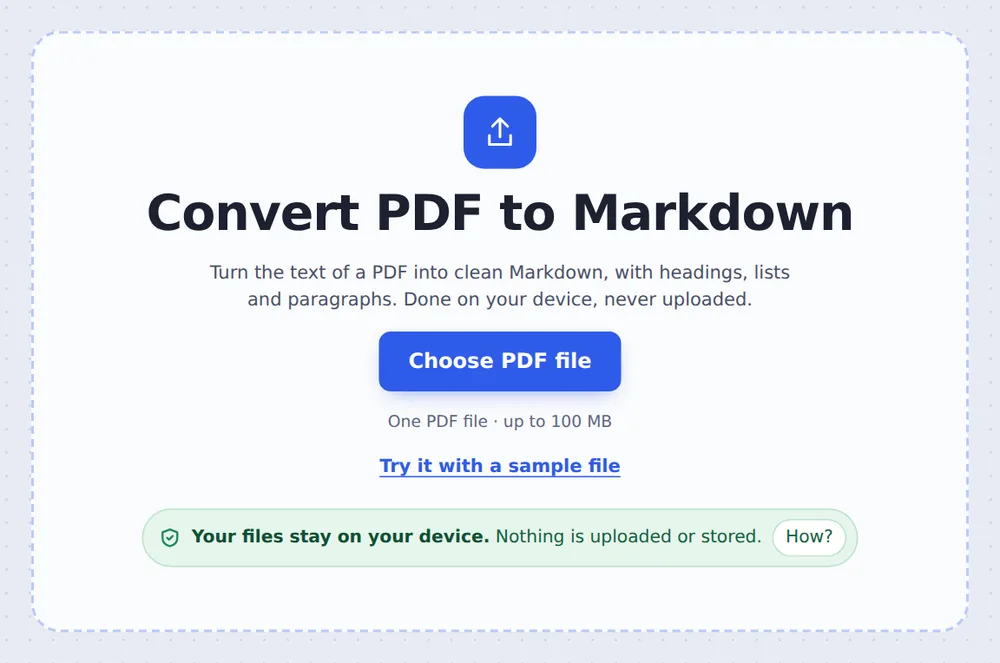
Choose your PDF
Click Choose PDF file or drop it on the tool above.
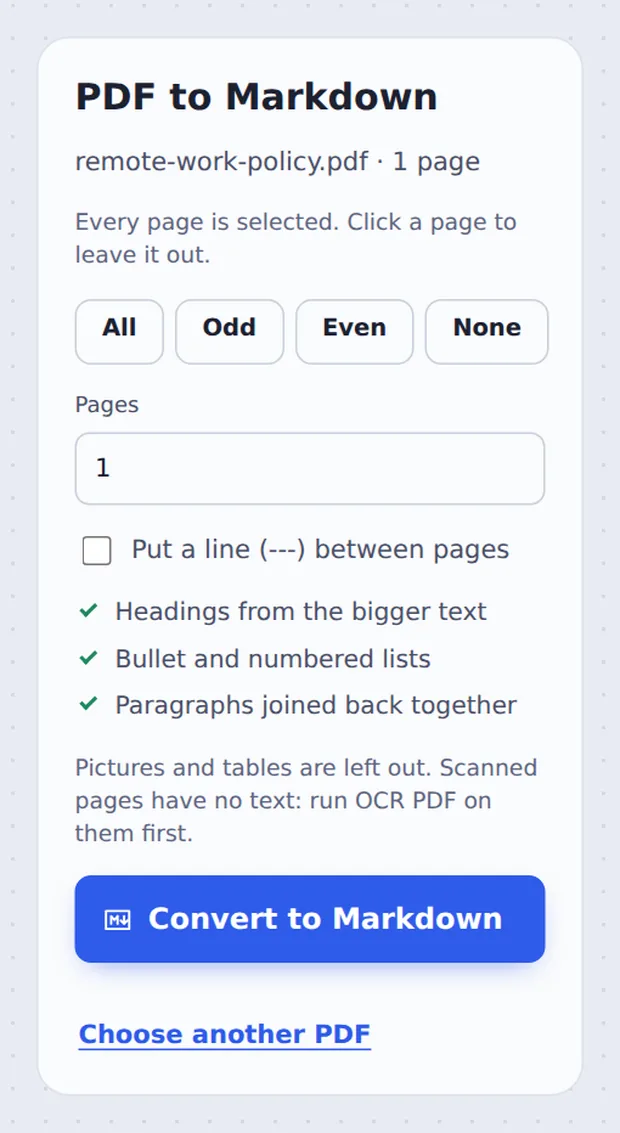
Pick the pages
Every page is selected. Click a page to leave it out, then click Convert to Markdown.

Copy or download
Click Copy the Markdown, or Download MD to save the .md file.
How the Conversion Works
Markdown is plain text with a few marks for structure: # for headings, - for bullet points. It is easy to read, easy to edit, and understood by notes apps, wikis, GitHub and AI tools.
A PDF has no such marks. It only knows where each word sits and how big it is. To turn PDF to Markdown, the converter finds the usual size of the body text: anything clearly bigger becomes a heading, lines that start with a bullet or a number become lists, and lines that run on are joined into paragraphs.
Pictures and tables are left out. Scanned pages are pictures of text, so run OCR PDF on them first.
Headings
From the bigger text.
Lists
Bullets and numbers.
Paragraphs
Lines joined back up.
Copy and Paste or a Markdown Converter
Pasting from a PDF gives broken lines.
| Copy and paste | This tool | |
|---|---|---|
| Headings | Lost | Kept as #, ## and ### |
| Line breaks | One per line | Real paragraphs |
| Page numbers | Mixed into the text | Left out |
Convert to Markdown Without Uploading
Many people convert documents to Markdown to use them with notes or AI tools, and the documents are often private. TickPDF reads the text inside your own browser tab, so the PDF never leaves your device.
There is no account and no copy on our side.
- 0files uploadedYour PDF stays on your device.
- 0copies keptWe never see your pages.
- 0accounts neededOpen the page and start.

Works on iPhone, Android or Computer
- Windows
- Mac
- Linux
- Chromebook
- iPhone
- iPad
- Android
Open this page in your phone's browser, choose the PDF and tap Convert to Markdown. Tap Copy the Markdown to paste it into any app.
It works the same on Windows, Mac, Linux and Chromebook, with nothing to install.
Where People Use Markdown
People turn PDF to Markdown to reuse the text where PDFs do not work well.
AI chats
Clean text for prompts.
Notes apps
Obsidian, Notion, Bear.
Wikis
Move manuals online.
GitHub
READMEs and docs.
Study notes
Edit and organise.
Websites
Blog posts from PDFs.
Tips for PDF to Markdown Conversion
- Only what you needLeave out covers and appendices.
- Scanned pagesRun OCR PDF first.
- Check headingsFix a level with one # more or less.
- Page breaksTick the option to mark each page.
- Copy, not downloadCopy the Markdown straight into your app.
- TablesUse PDF to Word to keep tables.
More PDF Tools
They all run in the same private editor.
PDF to Text
Copy all the text out.
PDF to Word
Editable .docx file.
OCR PDF
Make scans searchable.
Extract PDF pages
Save some pages as a new PDF.
Split PDF
Cut a PDF wherever you want.
PDF Editor
Edit text, sign and annotate.

PDF to Markdown: Frequently Asked Questions
Answers to what people ask before they convert PDF to Markdown.
How do I convert PDF to Markdown?
Choose your PDF at the top of this page, leave out any pages you do not need and click Convert to Markdown. Copy the result or download it as a .md file.
Can I convert PDF to Markdown for free?
Yes. The free plan works on PDFs up to 50 pages and 20 MB, with 3 downloads a day, no account and no watermark. TickPDF Pro removes these limits.
Can I convert PDF to Markdown online?
Yes. The tool runs in your web browser on Windows, Mac, Linux and Chromebook, with nothing to install. Open your PDF at the top of this page to start.
How do I convert PDF to Markdown on my phone?
Open this page in your phone's browser, choose the PDF and tap Convert to Markdown. Tap Copy the Markdown to paste it into your notes app. There is no app to install.
Can I convert PDF to Markdown without Adobe Acrobat?
Yes. You do not need Acrobat or any other software. The conversion runs in your browser, and the .md file opens in any text editor.
Is it safe to convert PDF to Markdown online?
Yes. Your PDF is not uploaded. It is opened and processed inside your browser tab and never sent to our servers, so nobody else sees it. Close the tab and nothing is left behind.
Does PDF to Markdown keep headings and lists?
Yes. Text that is clearly bigger than the body text becomes a #, ## or ### heading, and lines that start with a bullet or a number become lists. Lines that run on are joined back into paragraphs.
What is the easiest way to convert PDF to Markdown for ChatGPT or other AI tools?
Convert it here and click Copy the Markdown, then paste it into the chat. Clean Markdown with headings is easier for AI tools to follow than text copied straight from a PDF.
Ready to Convert PDF to Markdown?
No account, no upload and no watermark: choose your PDF at the top of this page.
Open the toolTickPDF converts the text on your own device. Choose your file and turn PDF to Markdown today.