
Fillable PDF Form Templates Free
Fillable PDF form templates: pick one, fill it in online or download it blank.
- Free
- Real form fields
- No sign-up
- Signature boxes
These fillable PDF form templates are ready to use: an invoice, a rental application, a job application, an expense report, a weekly timesheet and a school permission slip. Each has real form fields that work in Acrobat, Preview, Chrome and every other PDF reader. Fill one in here, or download it blank to send to others.
How to Use the Fillable PDF Form Templates
Pick the form you need.

Pick a template
Scroll the gallery at the top of this page and find the form you need.

Fill in or download blank
Click Fill in online to type into it now, or Download blank to send it to someone else.
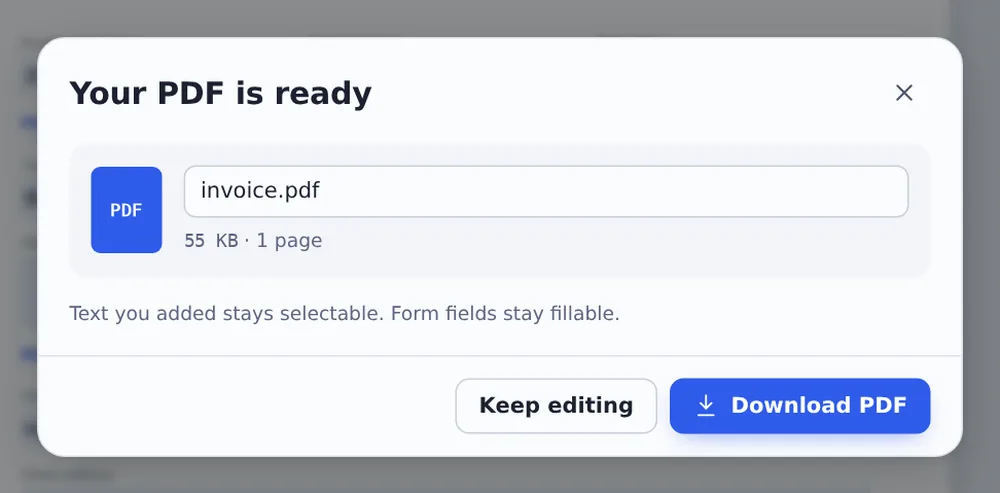
Download
Type in the boxes, tick the checkboxes and click Download.
What Makes a Form Fillable
A fillable PDF has boxes that you click and type into, instead of printing the page and writing by hand. The boxes are part of the PDF itself, so they work in any PDF reader, on a computer or a phone.
All six fillable PDF form templates use clear labels, tidy sections and boxes big enough for real answers. Long answers, such as addresses and notes, have boxes that take several lines. Forms that need a signature have a signature box, which people can sign in Acrobat or with Sign PDF.
Need different boxes? Open a template in the editor and use Create fillable PDF to add, move or rename fields.
Real fields
Click and type.
Signature boxes
Ready to sign.
Any reader
Acrobat, Preview, Chrome.
An Invoice Filled In Online
The invoice template with the client, dates and two items typed in.

Which Template to Use
The six fillable PDF form templates people ask for most.
| Best for | Pages | |
|---|---|---|
| Invoice | Freelancers and small shops | 1 |
| Rental application | Landlords and letting agents | 2 |
| Job application | Small employers | 2 |
| Expense report | Claiming back work costs | 1 |
| Weekly timesheet | Hourly staff and contractors | 1 |
| Permission slip | Schools, clubs and trips | 1 |
Fill In Forms Without Uploading
Applications and invoices hold names, addresses and bank details. TickPDF makes the fillable PDF form templates and saves your answers inside your own browser tab, so nothing you type leaves your device.
There is no account and no copy on our side.
- 0files uploadedYour form stays on your device.
- 0copies keptWe never see your pages.
- 0accounts neededOpen the page and start.

Works on iPhone, Android or Computer
- Windows
- Mac
- Linux
- Chromebook
- iPhone
- iPad
- Android
Open this page in your phone's browser, tap Fill in online on one of the fillable PDF form templates and type into the boxes. Tap Download to save it or send it on.
It works the same on Windows, Mac, Linux and Chromebook, with nothing to install.
Who Uses These Forms
People use fillable PDF form templates instead of making forms from scratch.
Freelancers
Quick, tidy invoices.
Landlords
Collect applications.
Small teams
Timesheets and expenses.
Schools
Trip permission slips.
Hiring
Simple job applications.
Clubs
Consent and contact forms.
Tips for Fillable PDF Form Templates
- Save a blank copyKeep one to reuse every month.
- Add your fieldsUse Create fillable PDF.
- Add your logoPlace it with Image in the editor.
- SignaturesSign it yourself with Sign PDF.
- Lock answersFlatten the form before you send it.
- Email itDownload and attach the PDF.
More PDF Tools
They all run in the same private editor.
Fill PDF
Type into any form.
Create fillable PDF
Add form fields.
Sign PDF
Sign the document.
Signature field
Mark where to sign.
Flatten PDF
Lock forms and comments in place.
PDF Editor
Edit text, sign and annotate.

Fillable PDF Form Templates: Frequently Asked Questions
Answers to what people ask about fillable PDF form templates.
How do I use fillable PDF form templates?
Pick a template at the top of this page. Click Fill in online to type into it now and download it, or Download blank to keep an empty copy or send it to someone else.
Are these fillable PDF form templates free?
Yes. All six templates are free to fill in and download, with no account and no watermark.
Can I fill in a PDF form template online?
Yes. Click Fill in online and the form opens in the editor in your browser. Click a box to type, tick the checkboxes and click Download.
Can I fill in these forms on my phone?
Yes. Open this page in your phone's browser, tap Fill in online and type into the boxes. Tap Download to save or share the form. There is no app to install.
Do the templates work without Adobe Acrobat?
Yes. The fields are standard PDF form fields, so the forms can be filled in Acrobat Reader, Preview on Mac, Chrome, Edge and most phone PDF apps, as well as here.
Is it safe to fill in forms online?
Yes. Here the form is made and filled in inside your browser tab. Nothing you type is sent to our servers, and nothing is kept after you close the tab.
Can I change the fields on a template?
Yes. Open the template in the editor and use Create fillable PDF to add, move, resize or rename fields. You can also add your logo with the Image tool.
Which fillable PDF form templates are there?
An invoice, a rental application, a job application, an expense report, a weekly timesheet and a school trip permission slip. Forms that need a signature include a signature box.
Ready to Use a Form?
No account, no upload and no watermark: choose a template at the top of this page.
Open the toolPick one at the top of this page. All fillable PDF form templates are free, with nothing to install.