
PDF to Excel Converter Online Free
PDF to Excel: tables into rows and columns, with numbers you can add up.
- No upload
- Real numbers
- No sign-up
- .xlsx file

Convert PDF to Excel instead of typing figures in by hand. Text that lines up on the page becomes columns, every line becomes a row, and prices, totals and percentages come out as real numbers, so your formulas work straight away. You get an .xlsx file, and the PDF never leaves your device.
How to Convert PDF to Excel
Works best on PDFs made by a computer.
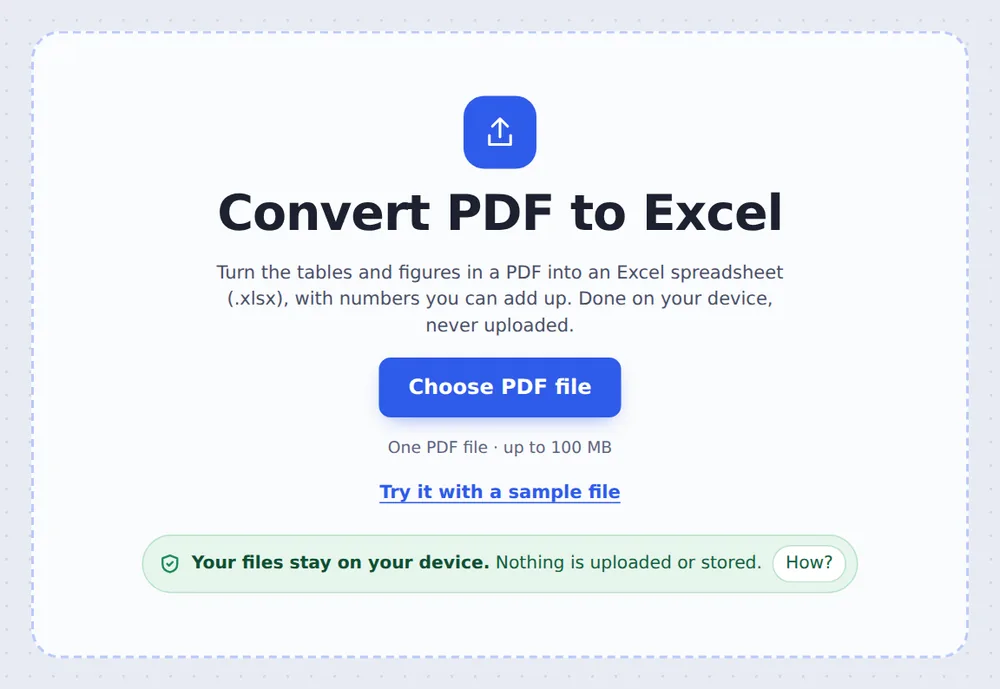
Choose your PDF
Click Choose PDF file or drop it on the tool above.
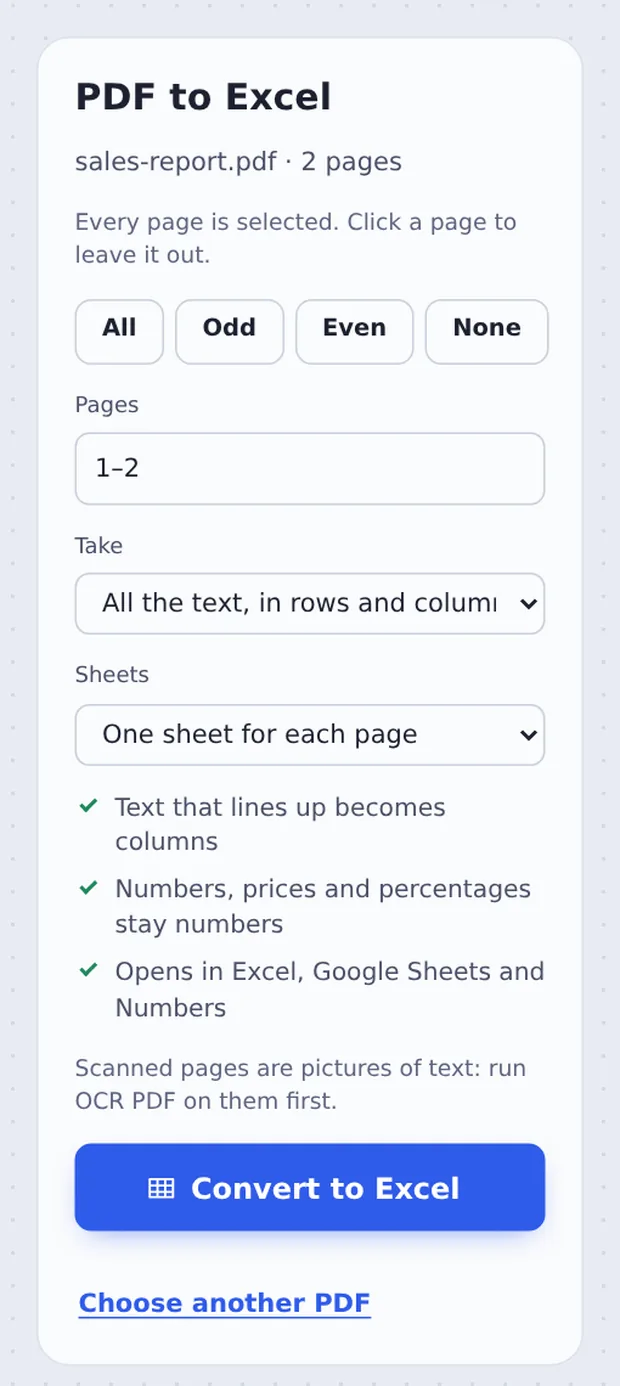
Choose what to take
Pick All the text or Only the tables, and one sheet per page or all in one. Click Convert to Excel.
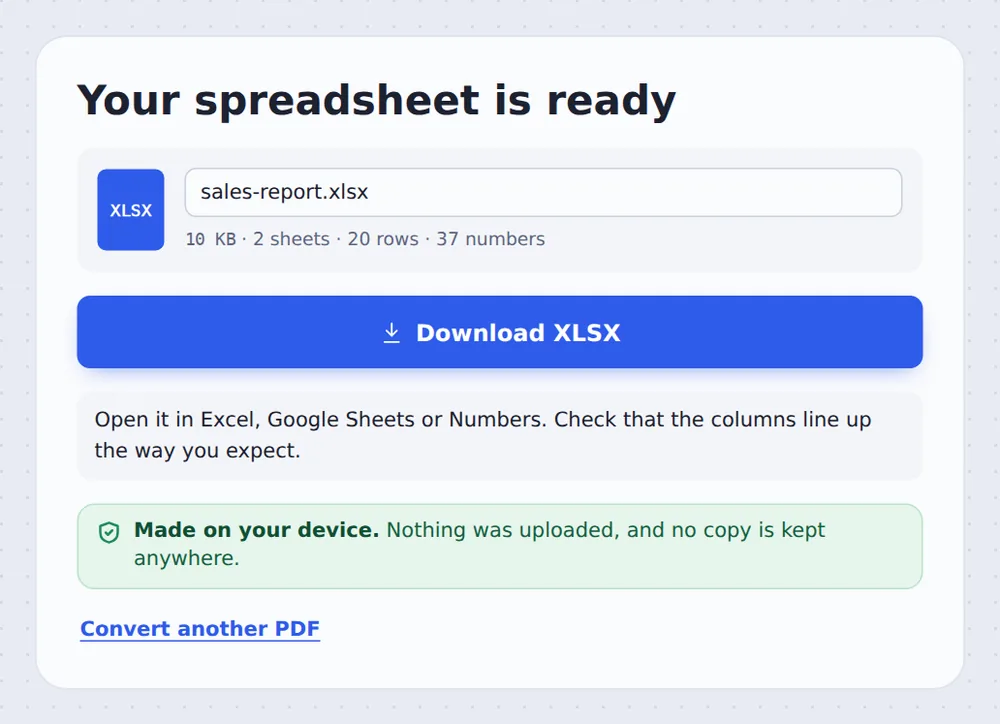
Download the .xlsx
Click Download XLSX and open it in Excel, Google Sheets or Numbers.
How Tables Are Found
A PDF does not know what a table is. It only knows where each word is drawn. To turn PDF to Excel, the converter looks for text that lines up down the page: the left and right edges of each column, including numbers that are lined up on the right.
Each line becomes a row and each column becomes an Excel column. Values like £1,150.00, $3,200, (450) or 7.5% are turned into numbers with the right format, so sums and charts work. Headings and notes go in the first column, as they would in a hand-made sheet.
Scanned PDFs are pictures of text. Run OCR PDF on them first, then convert the result.
Columns
From text that lines up.
Real numbers
Prices and percentages.
Sheets
One per page, or one in all.
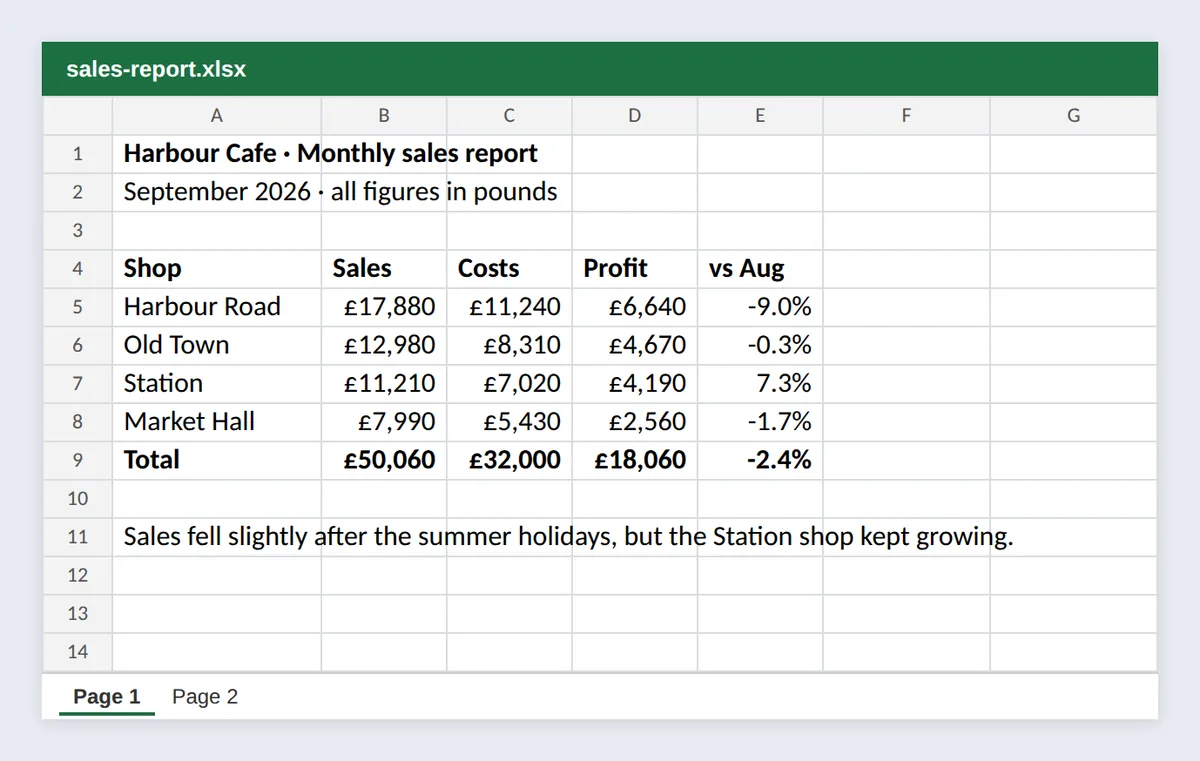
The Sales Report as a Spreadsheet
The table from the sample PDF in Excel, with the figures as numbers ready to add up.
Retyping Figures or Converting
Typing numbers by hand is slow, and mistakes are easy.
| Typing by hand | PDF to Excel | |
|---|---|---|
| A 3-page report | An hour or more | Seconds, then a check |
| Typos | Easy to make | Copied exactly |
| Numbers | Formats added by hand | Already numbers |
Convert Statements Without Uploading
Bank statements, invoices and payroll reports are exactly the files you should not send to a stranger's server. TickPDF converts PDF to Excel inside your own browser tab, so the PDF never leaves your device.
There is no account and no copy on our side.
- 0files uploadedYour PDF stays on your device.
- 0copies keptWe never see your pages.
- 0accounts neededOpen the page and start.

Works on iPhone, Android or Computer
- Windows
- Mac
- Linux
- Chromebook
- iPhone
- iPad
- Android
Open this page in your phone's browser, choose the PDF and tap Convert to Excel. Open the .xlsx in the Excel or Google Sheets app.
It works the same on Windows, Mac, Linux and Chromebook, with nothing to install.
What People Convert to Spreadsheets
People turn PDF to Excel when they need to work with the numbers.
Bank statements
Sort and total spending.
Invoices
Check amounts and VAT.
Reports
Reuse last year's figures.
Price lists
Compare suppliers.
Timetables
Filter by day or route.
Research data
Tables from papers.
Tips for PDF to Excel Conversion
- Only the tablesPick it to leave out the text.
- One sheetPut all pages together for long tables.
- Scanned PDFsRun OCR PDF first.
- Check totalsAdd a SUM to compare with the PDF.
- Big filesExtract the pages you need first.
- Back to PDFUse Excel to PDF when you are done.
More PDF Tools
They all run in the same private editor.
Excel to PDF
Spreadsheets into PDF.
PDF to Word
Editable .docx file.
OCR PDF
Make scans searchable.
Extract PDF pages
Save some pages as a new PDF.
PDF to Text
Copy all the text out.
PDF Editor
Edit text, sign and annotate.

PDF to Excel: Frequently Asked Questions
Answers to what people ask before they convert PDF to Excel.
How do I convert PDF to Excel?
Choose your PDF at the top of this page and click Convert to Excel. Download the .xlsx file and open it in Excel, Google Sheets or Numbers.
Can I convert PDF to Excel for free?
Yes. The free plan works on PDFs up to 50 pages and 20 MB, with 3 downloads a day, no account and no watermark. TickPDF Pro removes these limits.
How do I convert a PDF table to Excel?
Choose the PDF, pick Only the tables under Take, and click Convert to Excel. Text that lines up in columns becomes Excel columns, and each line becomes a row.
Can I convert a scanned PDF to Excel?
A scan is a picture of a table, with no text to read. Run OCR PDF on it first to turn the picture into text, then convert the result to Excel.
How do I convert PDF to editable Excel?
Convert it here: every value is in its own cell, and prices, totals and percentages are real numbers, so you can sort, filter and add them up with formulas.
Can I convert multiple PDF pages into one Excel sheet?
Yes. Choose All pages in one sheet under Sheets. Leave it on One sheet for each page to keep the pages apart.
How do I convert PDF to XLSX?
XLSX is the file type Excel uses, so it is the same as converting PDF to Excel. Choose your PDF above and click Convert to Excel to get an .xlsx file.
How accurate is PDF to Excel conversion?
For PDFs made by a computer, such as exported reports, statements and invoices, the text and numbers are copied exactly. Columns that are not lined up clearly, or tables drawn over several lines, may need a quick tidy in Excel.
Ready to Convert PDF to Excel?
No account, no upload and no watermark: choose your PDF at the top of this page.
Open the toolTickPDF converts your file on your own device. Choose your file and turn PDF to Excel today.