
Remove Watermark from PDF Online Free
Remove watermark from PDF in one click: the tool finds it, you tick it, it is gone.
- No upload
- Before and after preview
- No sign-up
- Text stays sharp

Remove watermark from PDF files you own in seconds. The tool looks through the file for DRAFT, CONFIDENTIAL and SAMPLE text, see-through stamps and watermark layers, shows you what it found with a before and after preview, and takes out only what you tick. The rest of the page stays exactly as it was, and the file is never uploaded.
How to Remove Watermark from PDF
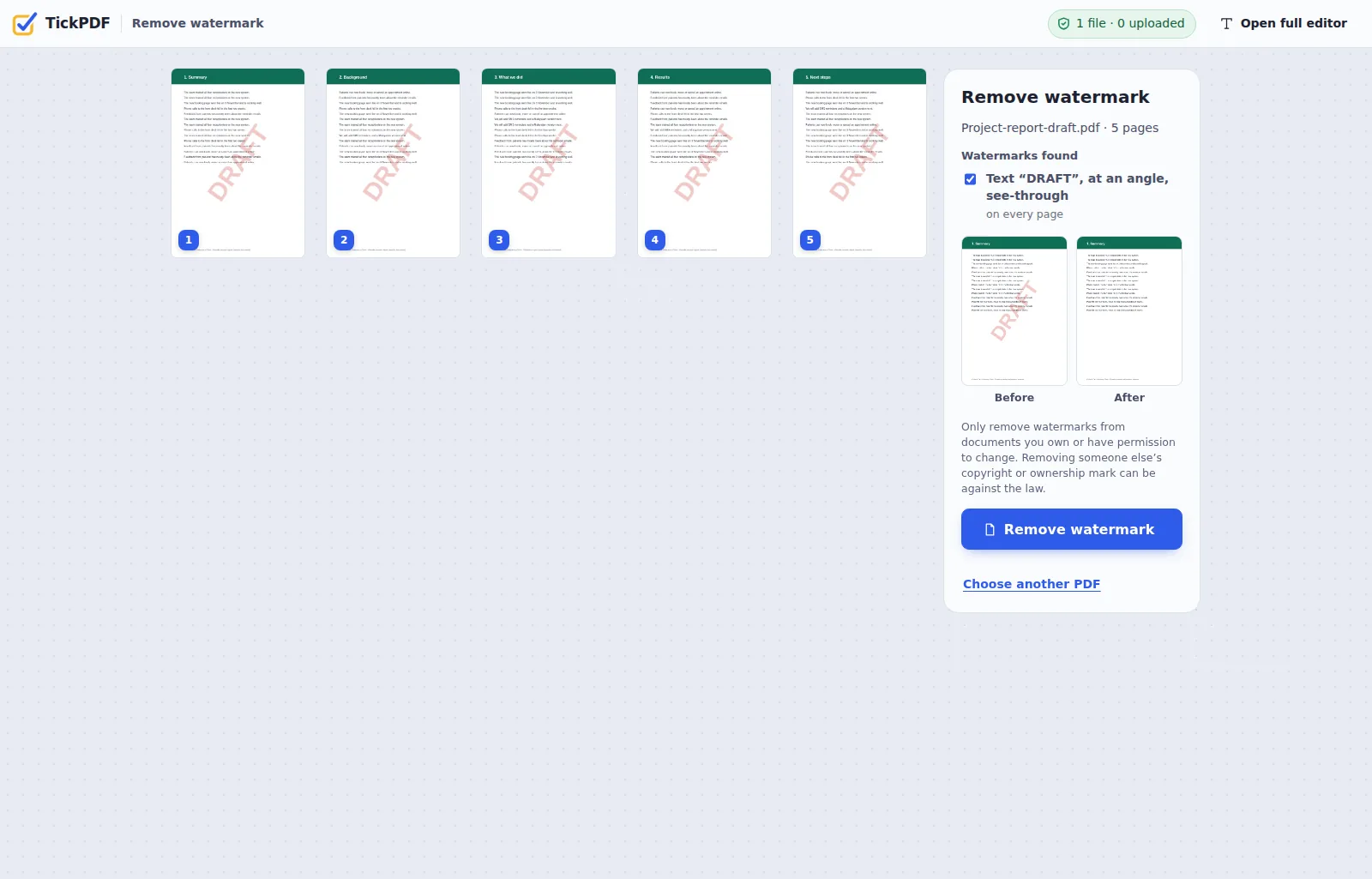
The tool finds the watermark before you remove it.
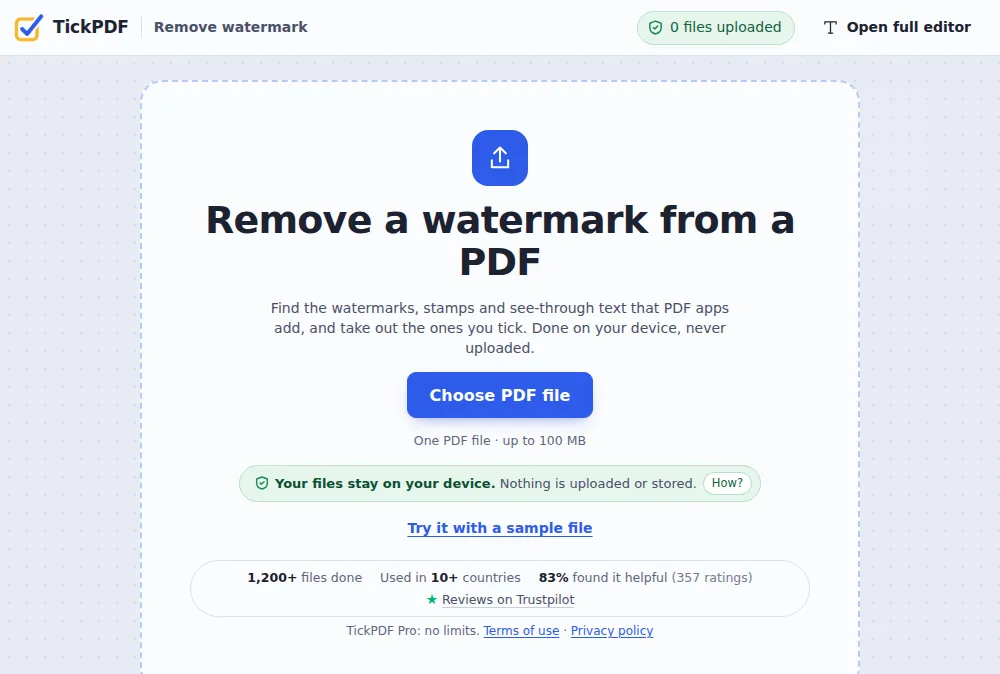
Choose your PDF
Click Choose PDF file or drop the PDF on the tool above.
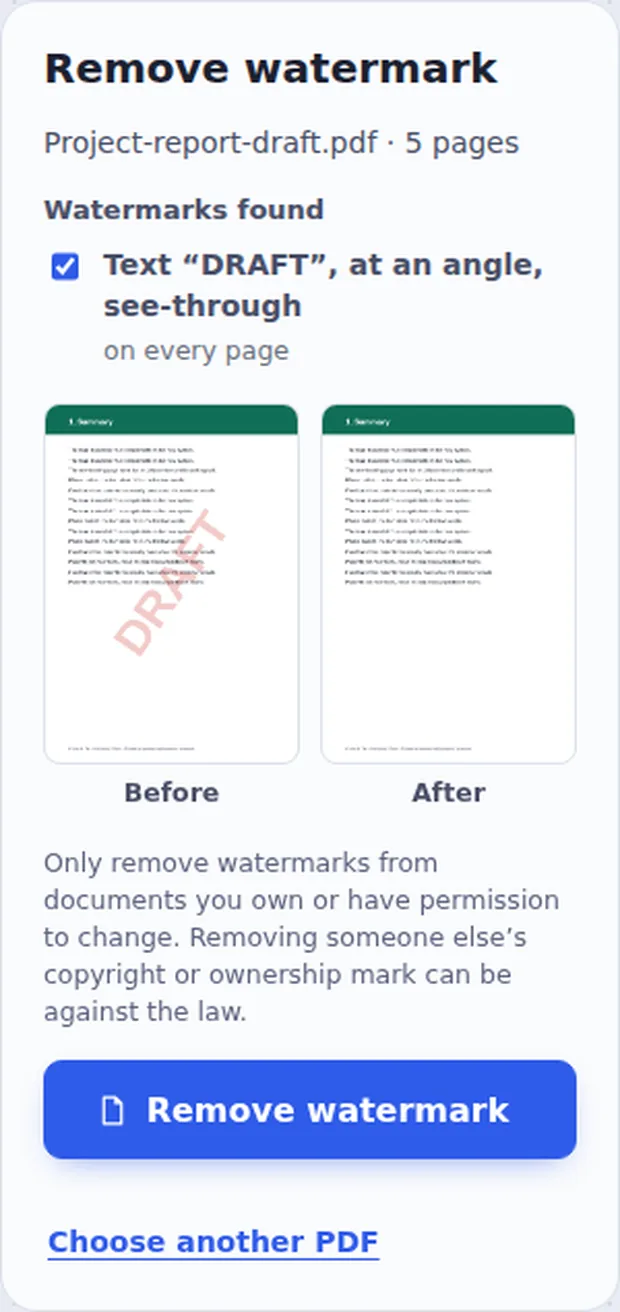
Check what was found
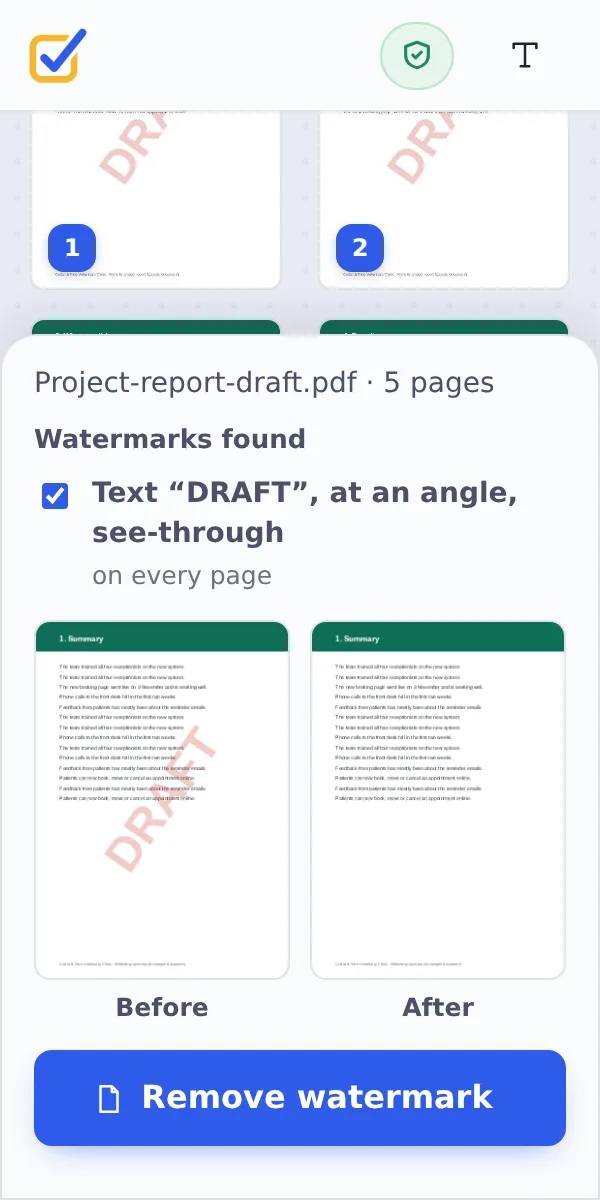
The watermarks found are listed and ticked, with a Before and After picture of the page. Logos and other items that repeat on every page are listed too, but not ticked. Click Remove watermark.
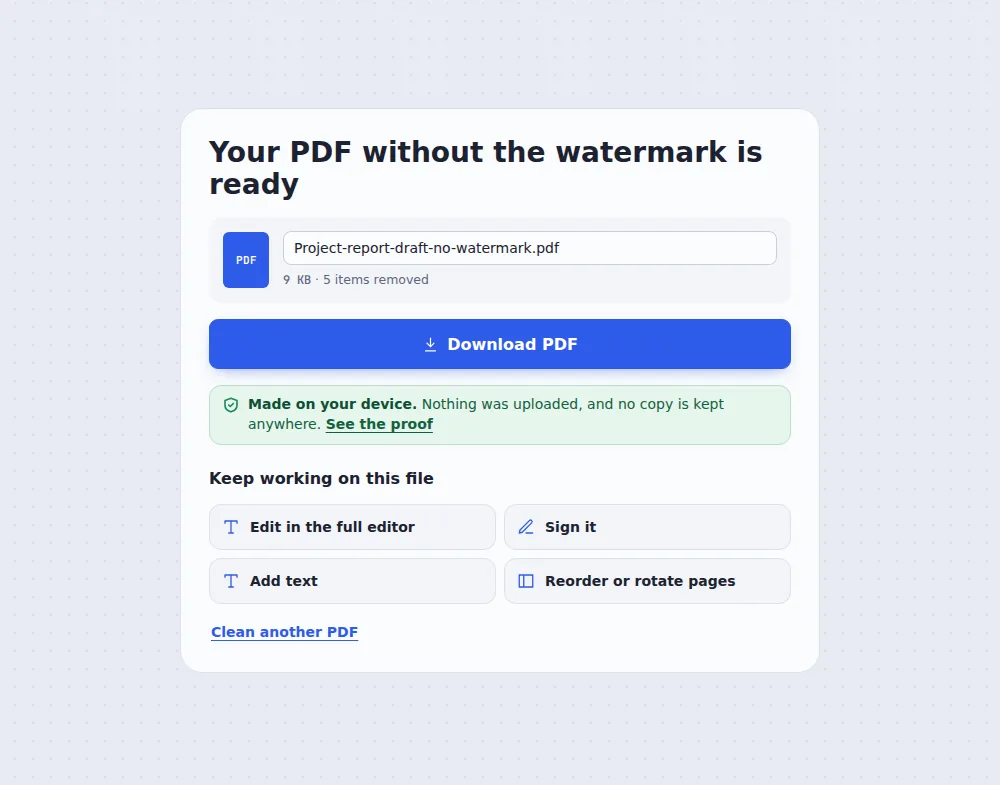
Download the clean copy
Click Download PDF. Your original file is not changed.
Which Watermarks Can You Remove from a PDF?
Most watermarks are added by an app after the document is made: Word, Acrobat, online PDF tools or a company template. They sit on top of the page as a separate piece, often turned at an angle and see-through, so they can be taken out cleanly without touching the text underneath.
A watermark that is part of a scanned picture of the page is different: it is the same picture as the words, so it cannot be lifted off. When that happens the tool tells you, and you can cover it with Whiteout instead.
Only remove watermark from PDF files you own or have permission to change, such as your own drafts or a template from your company.
Text watermarks
DRAFT, CONFIDENTIAL, SAMPLE and more.
Stamps and pictures
Logos and stamps added on top.
Watermark layers
Marked as a watermark by Acrobat or Word.
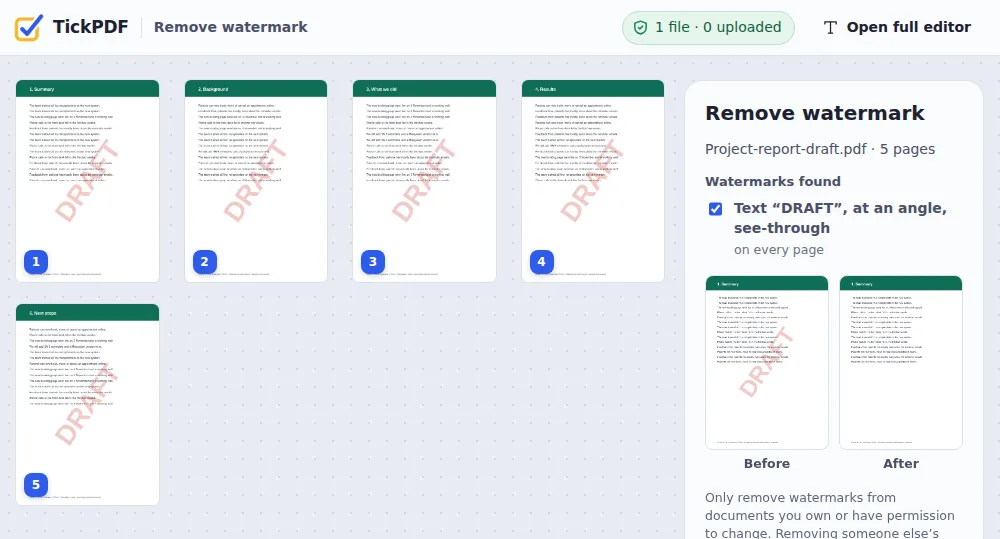
A Report Still Marked DRAFT
The final version is approved, but every page still says DRAFT. Time to remove watermark from PDF.
Remove the Watermark or Cover It?
Two ways to get rid of a mark on a page.
| What happens | Use it when | |
|---|---|---|
| Remove watermark from PDF | The watermark is taken out of the file | It was added by an app (most watermarks) |
| Whiteout | A white box covers the spot | The mark is part of a scanned page |
Remove Watermark from PDF Without Uploading
Drafts and confidential documents should not be sent to a stranger's server. TickPDF finds and removes the watermark inside your own browser tab, so the file never leaves your device.
There is no account and no copy on our side.
- 0files uploadedYour PDF stays on your device.
- 0copies keptWe never see your pages.
- 0accounts neededOpen the page and start.
Works on iPhone, Android or Computer
- Windows
- Mac
- Linux
- Chromebook
- iPhone
- iPad
- Android
To remove watermark from PDF on a phone, open this page in the browser, choose the PDF, check the preview and tap Remove watermark.
It works the same on Windows, Mac, Linux and Chromebook, with nothing to install.
When People Remove Watermark from PDF Files
Most people remove a watermark from their own PDF when a draft becomes final.
Approved drafts
DRAFT taken off the final version.
Your own templates
Old company stamps cleared.
Shareable copies
CONFIDENTIAL removed once it is public.
Paid software
Trial marks from apps you now own.
Reprints
SAMPLE removed from your own files.
Fresh watermark
Remove the old one, add a new one.
Tips Before You Remove Watermark from PDF
- Check the previewBefore and After show the first page.
- Logos stayRepeated logos are not ticked for you.
- Scanned pagesCover a printed mark with Whiteout.
- New watermarkAdd a new one with Watermark PDF.
- Your documents onlyRespect other people's marks.
- Keep the originalYour original PDF is not changed.
More PDF Tools
They all run in the same private editor.
Watermark PDF
Mark pages CONFIDENTIAL.
Whiteout PDF
Cover and type over details.
Remove annotations
Delete comments and highlights.
Flatten PDF
Lock forms and comments in place.
Remove PDF metadata
Delete hidden author details.
PDF Editor
Edit text, sign and annotate.
Remove Watermark from PDF: Frequently Asked Questions
Answers to what people ask before they remove a watermark.
How do I remove a watermark from a PDF?
Choose your PDF at the top of this page. The tool finds the watermarks and ticks them, and shows the page before and after. Click Remove watermark, then Download PDF.
Can I remove a watermark from a PDF for free?
Yes. The free plan works on PDFs up to 50 pages and 20 MB, with 3 downloads a day, no account and no watermark. TickPDF Pro removes these limits.
Can I remove a watermark from a PDF online without uploading it?
Yes. The page works in your browser like any website, but the PDF is read and changed on your own device. It is never uploaded, and no copy is kept anywhere.
How do I remove a watermark from a PDF on my phone?
Open this page in your phone's browser, choose the PDF, check the before and after picture and tap Remove watermark. There is no app to install.
Why was my watermark not found?
Some watermarks are part of the page itself, for example on a scanned document or a page saved as a picture. Those cannot be lifted off without damaging the page. Cover them with Whiteout instead.
Will removing the watermark change the rest of my PDF?
No. Only the items you tick are taken out. The text stays sharp and selectable, and pictures, links and form fields stay as they were.
Is it legal to remove a watermark from a PDF?
Removing a watermark from your own document, or one you have permission to change, is fine: for example DRAFT on your own report. Removing someone else's copyright or ownership mark to pass their work off or share it without permission can be against the law in most countries.
Is it safe to remove a watermark from a PDF online?
Yes. Your PDF is not uploaded. It is opened and processed inside your browser tab and never sent to our servers, so nobody else sees it. Close the tab and nothing is left behind.
Ready to Remove the Watermark?
No account, no upload and no watermark: choose your PDF at the top of this page.
Open the toolTickPDF finds and removes the watermark on your own device. Choose your file and remove watermark from PDF today.