
Add Page Numbers to PDF Online Free
Add page numbers to PDF files in seconds, in the corner and style you choose.
- No upload
- Live preview
- No sign-up
- Skip the cover

Add page numbers to PDF reports, handbooks, theses and contracts in a few clicks. Pick the corner, a style such as Page 1 of 10, the first number, and which pages to number. A preview shows every page first, and your file is never uploaded.
How to Add Page Numbers to PDF Files
The preview shows the numbers before you download.

Choose your PDF
Click Choose PDF file or drop the PDF on the tool above. Every page is selected.
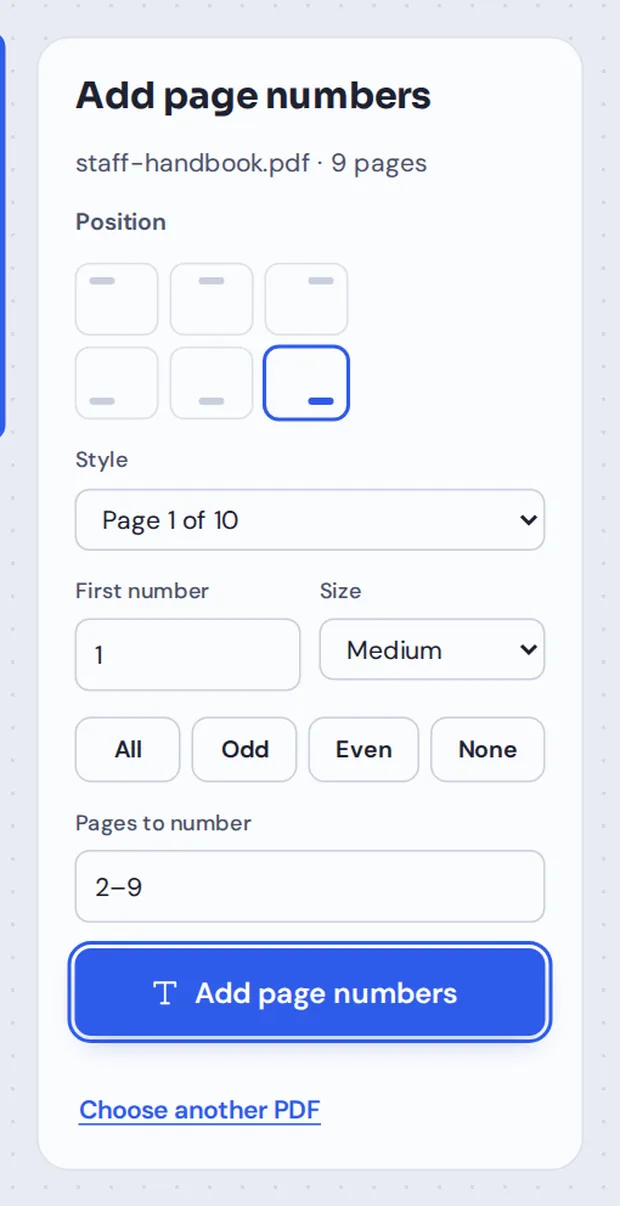
Pick the position and style
Click one of the six positions, choose a Style and the First number. To skip a cover, type 2- in Pages to number.
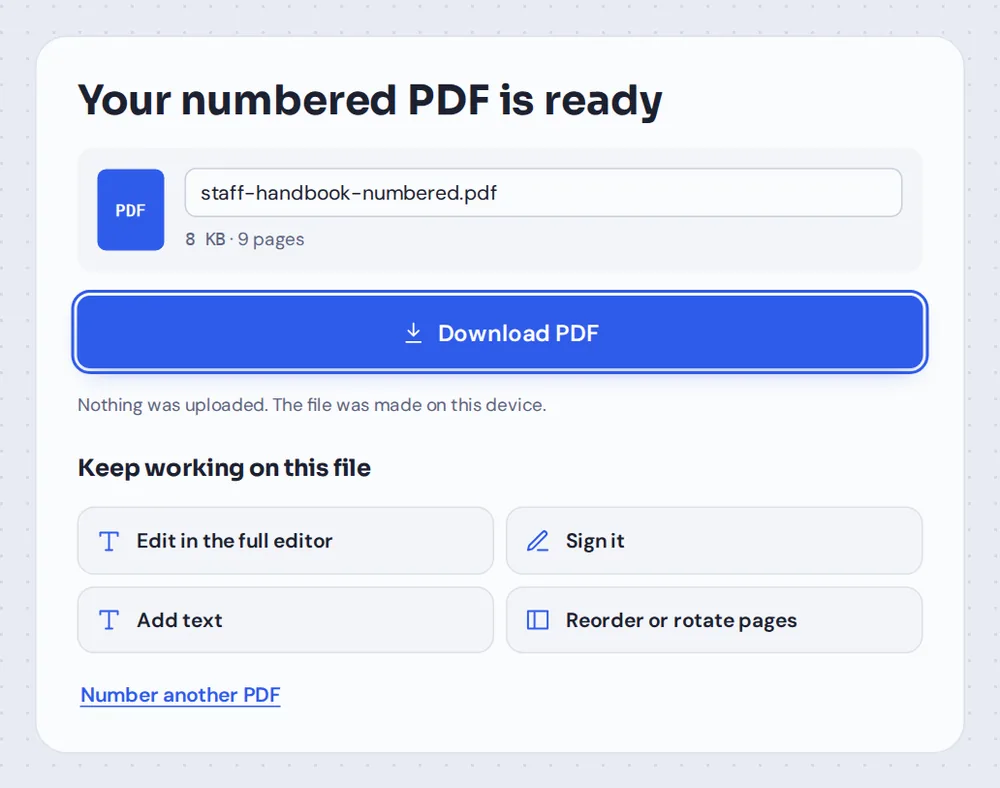
Add them and download
Click Add page numbers and download the new PDF, or open it in the editor to keep working.
Why Add Page Numbers to PDF Documents?
Page numbers make long documents easy to talk about. "See page 12" only works if page 12 is marked, and reviewers, examiners and colleagues all expect it.
Many PDFs are created without numbers: scans, merged files, exports from design tools and documents put together from several sources. When you add page numbers to PDF files here, the numbers are written onto each page as real text, so they print and search like any other text.
Pages turned sideways are numbered the right way up, in the corner you chose.
Real text
Sharp, searchable numbers on every page.
Skip pages
Leave the cover or contents unnumbered.
Any first number
Continue from a previous part, such as starting at 41.
Check Every Page Before You Download
Change the corner, style or first number and all pages update at once.

Page Number Styles
Pick the one that suits your document.
| Looks like | Good for | |
|---|---|---|
| 1 | 1, 2, 3 | Books, theses and most documents |
| Page 1 | Page 1, Page 2 | Forms and letters |
| 1 / 10 | 1 / 10, 2 / 10 | Slides and handouts |
| 1 of 10 | 1 of 10, 2 of 10 | Contracts, so nothing is missing |
| Page 1 of 10 | Page 1 of 10 | Legal and official documents |
Number Your Pages Without Uploading Them
Most online tools upload your PDF to add page numbers. TickPDF adds them inside your own browser tab, so theses, contracts and reports never leave your device.
There is no account and no copy on our side.
- 0files uploadedYour PDF stays on your device.
- 0copies keptWe never see your pages.
- 0accounts neededOpen the page and start.

Add Page Numbers to PDF on iPhone, Android or Computer
- Windows
- Mac
- Linux
- Chromebook
- iPhone
- iPad
- Android
Open this page in your phone's browser, choose the PDF, tap a position and style, and tap Add page numbers.
It works the same on Windows, Mac, Linux and Chromebook, with nothing to install.
Documents That Need Page Numbers
Anything longer than a few pages.
Theses and essays
Numbered pages are usually required.
Contracts
Page 1 of 10 shows no page is missing.
Reports
So reviewers can point to a page.
Merged files
One set of numbers across joined documents.
Court and legal bundles
Clear numbering for every page.
Handbooks and manuals
Match the page numbers in the contents.
Tips to Add Page Numbers to PDF Files
- Skip the coverType 2- in Pages to number and keep First number at 1.
- Merge firstJoin all parts before numbering, so the numbers run on.
- Continue a seriesSet First number to carry on from a previous file.
- Mind the footerIf the page already has a footer, put numbers at the top.
- Use "of" for contracts1 of 10 makes a missing page easy to spot.
- Keep the originalYour original PDF is not changed.
More PDF Tools
They all run in the same private editor.
Merge PDF
Join files before numbering them.
Rearrange PDF pages
Put pages in order first.
Watermark PDF
Mark pages CONFIDENTIAL or DRAFT.
Split PDF
Cut a long file into parts.
Sign PDF
Sign the numbered document.
Compress PDF
Make the file smaller.

Add Page Numbers to PDF: Frequently Asked Questions
Answers to what people ask before they number their pages.
How do I add page numbers to PDF?
Choose your PDF at the top of this page, click the corner where the numbers should go, pick a style such as 1 or Page 1 of 10, and click Add page numbers.
Can I add page numbers to PDF for free?
Yes. The free plan works on PDFs up to 50 pages and 20 MB, with 3 downloads a day, no account and no watermark. TickPDF Pro removes these limits.
Can I add page numbers to PDF online?
Yes. The tool runs in your web browser on Windows, Mac, Linux and Chromebook, with nothing to install. Open your PDF at the top of this page to start.
How do I add page numbers to PDF on my phone?
Open this page in your phone's browser, choose the PDF, tap the position and style, then tap Add page numbers and download the file. There is no app to install.
Can I add page numbers to PDF without Adobe Acrobat?
Yes. You do not need Acrobat or any other software. The numbered PDF opens in Acrobat, Preview, Chrome and every other PDF reader.
Is it safe to add page numbers to PDF online?
Yes. Your PDF is not uploaded. It is opened and processed inside your browser tab and never sent to our servers, so nobody else sees it. Close the tab and nothing is left behind.
How do I add page numbers to PDF without losing quality?
The numbers are added as real text on top of each page. Nothing else on the page is changed, so text stays sharp and pictures keep their quality.
What is the easiest way to add page numbers to PDF?
Open the PDF above, click a position and click Add page numbers. To skip a cover page, type 2- in the Pages to number box, and set the first number to 1.
Ready to Add Page Numbers?
No account, no upload and no watermark: choose your PDF at the top of this page.
Open the toolTickPDF numbers your pages on your own device. Choose your file and add page numbers to PDF files today.