
Repair PDF Files Online Free
Repair PDF files that won't open, show errors or open blank.
- No upload
- Rebuilds broken files
- No sign-up
- Keeps every page it can

Repair PDF documents that a reader refuses to open or says are damaged. The tool rebuilds the file's structure, keeps every page it can find and tells you what it fixed. It all happens on your device, with no upload.
How to Repair PDF Files
No settings: just choose the file.
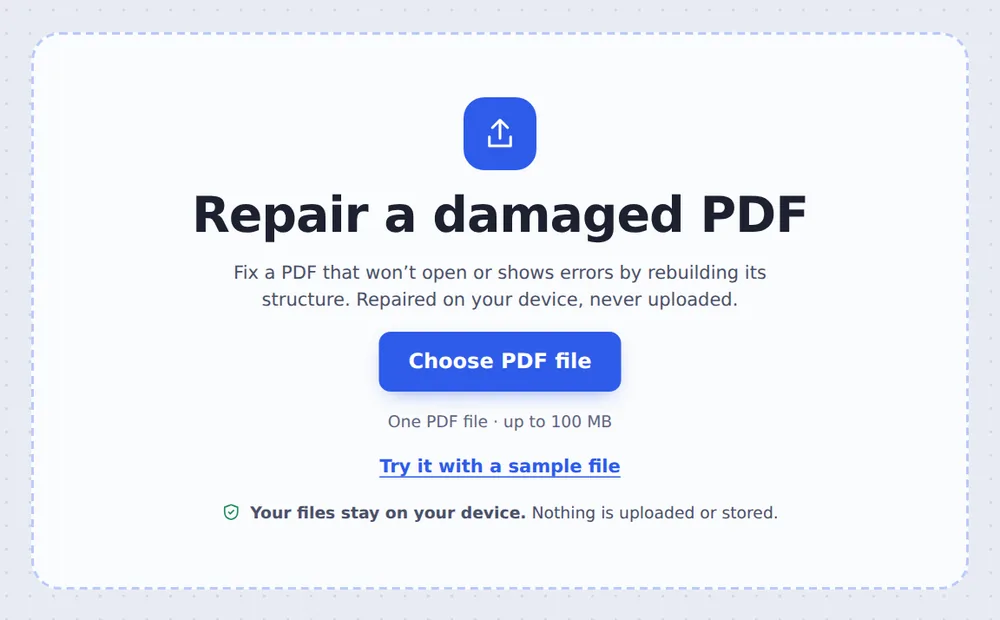
Choose the damaged PDF
Click Choose PDF file or drop the PDF on the tool above. If it is too damaged to preview, you will see a note instead of pages.
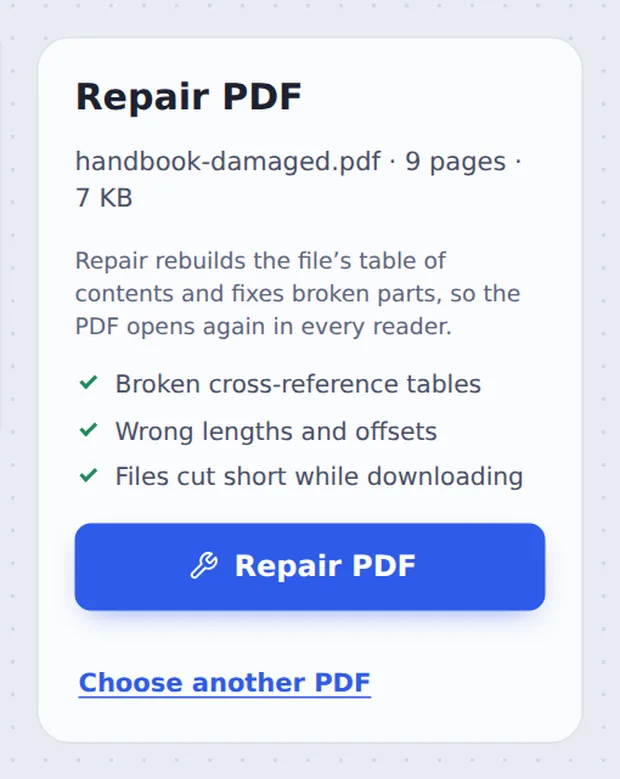
Repair it
Click Repair PDF. The tool rebuilds the file and checks that the result opens.

Download the fixed file
The finished screen shows what was fixed. Click Download PDF, or open it in the editor.
Why PDFs Get Damaged
A PDF ends with a table that tells readers where each page and picture is stored. If that table is wrong or missing, a reader cannot find anything and reports the file as damaged, even when every page is still inside.
This happens when a download stops early, an email or USB copy goes wrong, a disk fills up while saving, or an app writes the file badly. To repair PDF files like these, the tool reads every object in the file one by one and writes a new, correct table.
If parts of the file are truly missing, those pages cannot be brought back, and the tool tells you how many were lost.
Broken table
Rebuilt from the objects in the file.
Wrong lengths
Stream sizes and offsets corrected.
Cut-off downloads
Every complete page is kept.
Back to Normal
The repaired file opens in every reader and in the TickPDF editor.

What Can and Can't Be Fixed
Honest answers before you try.
| Result | Why | |
|---|---|---|
| "File is damaged" or "can't be opened" | Usually fixed | The pages are there; only the table is broken |
| Some pages blank or missing | Often fixed | Wrong lengths are recalculated |
| Download stopped halfway | Partly | Pages that never arrived are gone |
| Password-protected file | Unlock first | Encrypted content needs the password |
Repair PDF Files Without Uploading
TickPDF repairs the file inside your own browser tab, so damaged contracts, statements and reports never leave your device.
There is no account and no copy on our side.
- 0files uploadedYour PDF stays on your device.
- 0copies keptWe never see your file.
- 0accounts neededOpen the page and start.

Works on iPhone, Android or Computer
- Windows
- Mac
- Linux
- Chromebook
- iPhone
- iPad
- Android
Open this page in your phone's browser, choose the PDF and tap Repair PDF.
It works the same on Windows, Mac, Linux and Chromebook, with nothing to install.
When a PDF Needs Fixing
The usual suspects.
Interrupted downloads
A slow connection cut the file short.
Email attachments
Files damaged on the way.
Old exports
Files from old or buggy apps.
Upload errors
Portals that reject a file as invalid.
Scanner software
Scans saved with a broken structure.
Blank pages
Pages that suddenly show nothing.
Pro Tips for Faster Results
- Download it againIf it came from a website or email, a fresh copy is often perfect.
- Try another readerChrome or Firefox open many files other readers refuse.
- Unlock firstPassword-protected files need Unlock PDF before repair.
- Compress afterMake the repaired copy smaller if needed.
- Optimize for webFor files on a website, turn on fast web view next.
- Keep the originalYour original PDF is not changed.
More PDF Tools
They all run in the same private editor.
Unlock PDF
Remove a password first.
Optimize PDF for web
Make it open fast online.
Compress PDF
Make the file smaller.
PDF to Text
Save the text from it.
Merge PDF
Join the repaired file with others.
PDF Editor
Edit the repaired file.

Repair PDF: Frequently Asked Questions
Answers to what people ask about damaged PDFs.
How do I repair a PDF?
Choose the damaged PDF at the top of this page and click Repair PDF. The tool rebuilds the file's structure and tells you what it fixed. Download the repaired copy and open it as usual.
Can I repair a PDF for free?
Yes. The free plan works on PDFs up to 50 pages and 20 MB, with 3 downloads a day, no account and no watermark. TickPDF Pro removes these limits.
Can I repair a PDF online?
Yes. The tool runs in your web browser on Windows, Mac, Linux and Chromebook, with nothing to install, and the file is repaired on your own device.
How do I repair a PDF on my phone?
Open this page in your phone's browser, tap Choose PDF file and tap Repair PDF. There is no app to install.
Why won't my PDF open?
Usually the file was cut short while downloading or copying, or the app that made it wrote it incorrectly. The pages are often still inside the file, but the table that tells readers where to find them is broken. That is what Repair PDF rebuilds.
Is it safe to repair a PDF online?
Yes. Your PDF is not uploaded. It is opened and processed inside your browser tab and never sent to our servers, so nobody else sees it. Close the tab and nothing is left behind.
Can every damaged PDF be repaired?
No. If part of the file is missing, for example when a download stopped halfway, the missing pages cannot be brought back. The tool saves every page it can and tells you if some could not be saved. Downloading the file again is often the quickest fix.
What is the easiest way to repair a PDF?
Drop the PDF on the tool above and click Repair PDF. There are no settings to choose.
Ready to Fix Your File?
No account, no upload and no watermark: choose your PDF at the top of this page.
Open the toolTickPDF rebuilds damaged files on your own device. Choose your file and repair PDF documents today.