
Crop PDF Online Free
Crop PDF pages in seconds: cut away margins, borders and empty space.
- No upload
- Automatic margins
- No sign-up
- Live preview

Crop PDF pages to get rid of wide margins, scanner borders or empty space, so the content fills the screen. Type the margins, drag a box on a page, or let the tool find the white margins of every page. Your file is never uploaded.
How to Crop PDF Pages
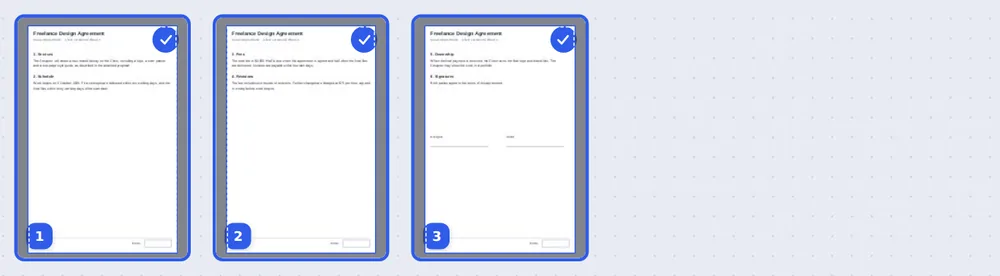
The dark area on each page shows what will be cut away.
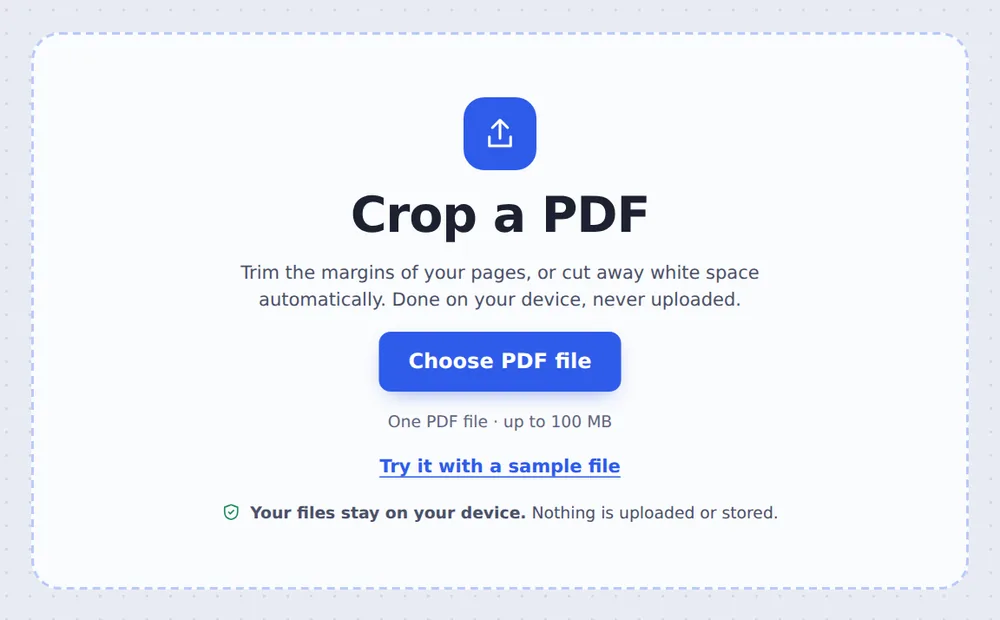
Choose your PDF
Click Choose PDF file or drop the PDF on the tool above. Every page is selected.
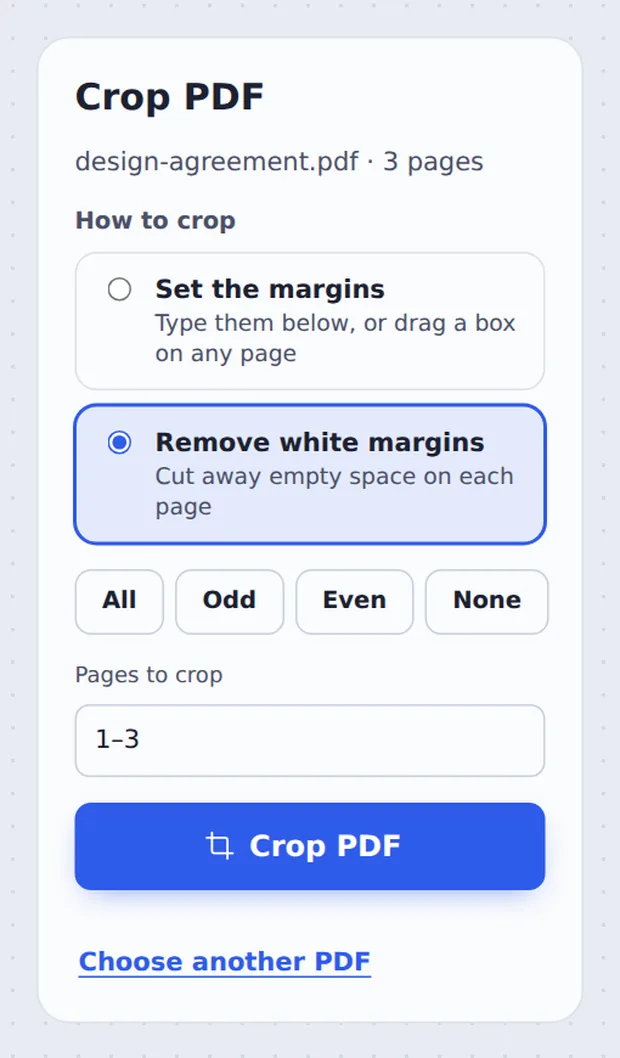
Set the crop
Type the Top, Bottom, Left and Right margins, drag a box on any page, or choose Remove white margins. Then click Crop PDF.

Download the result
Click Download PDF, or open it in the editor to keep working.
What Does Cropping Do?
Cropping changes the visible area of each page. Everything outside the crop box is hidden in every PDF reader and is not printed, while the content inside stays exactly as it was.
That makes it ideal for reading on a phone or tablet, where wide margins waste space, for cutting scanner borders off scanned pages, and for preparing pages to be placed in another document.
Pages that are turned sideways are trimmed the way you see them on screen.
Your margins
Type them, or drag a box on a page.
Automatic
Finds the white space on each page.
Still sharp
Text stays real and selectable.
See the Crop on Every Page
The area that will be cut away is shaded, so you can check each page.
Two Ways to Crop
Pick the one that fits your document.
| How it works | Best for | |
|---|---|---|
| Set the margins | The same margins on every page you pick | Books, reports, slides with a frame |
| Remove white margins | Each page is cropped to its own content | Scans, mixed pages, reading on a phone |
More Content, Less Empty Space
The pages open in the editor, ready to sign, annotate or reorder.

Private by Design, With No Upload
TickPDF crops your pages inside your own browser tab, so contracts, reports and scans never leave your device.
There is no account and no copy on our side.
- 0files uploadedYour PDF stays on your device.
- 0copies keptWe never see your pages.
- 0accounts neededOpen the page and start.

Works on iPhone, Android and Computer
- Windows
- Mac
- Linux
- Chromebook
- iPhone
- iPad
- Android
Open this page in your phone's browser, choose the PDF, tap Remove white margins or type the margins, and tap Crop PDF.
It works the same on Windows, Mac, Linux and Chromebook, with nothing to install.
When People Use This Tool
Common reasons to trim pages.
Reading on a phone
Bigger text without wide margins.
Scanner borders
Cut dark edges off scanned pages.
Slides
Remove the frame around exported slides.
Papers and books
Trim blank margins before printing.
Figures
Keep just the chart or diagram.
Labels and tickets
Cut a label out of a full page.
Pro Tips for Faster Results
- Try automatic firstRemove white margins handles mixed pages best.
- Skip the coverType 2- in Pages to crop to leave page 1 alone.
- Drag for precisionDrag a box on a page to set the area exactly.
- Change the size?To change the paper size, use Resize PDF pages.
- Need it gone?Cropping hides content; to delete details, use Redact PDF.
- Keep the originalYour original PDF is not changed.
Related Tools in the Same Editor
They all run in the same private editor.
Resize PDF pages
Change the page size.
Rotate PDF
Turn pages the right way up.
Pages per sheet
Print several pages on one sheet.
Redact PDF
Black out private details for good.
Split PDF
Cut a PDF wherever you want.
Compress PDF
Make the file smaller.

Crop PDF: Frequently Asked Questions
Answers to what people ask before they crop a PDF.
How do I crop a PDF?
Choose your PDF at the top of this page. Type the margins to cut off, drag a box on any page, or choose Remove white margins. Then click Crop PDF and download the result.
Can I crop a PDF for free?
Yes. The free plan works on PDFs up to 50 pages and 20 MB, with 3 downloads a day, no account and no watermark. TickPDF Pro removes these limits.
Can I crop a PDF online?
Yes. The tool runs in your web browser on Windows, Mac, Linux and Chromebook, with nothing to install. Open your PDF at the top of this page to start.
How do I crop a PDF on my phone?
Open this page in your phone's browser, choose the PDF, type the margins or tap Remove white margins, and tap Crop PDF. There is no app to install.
Can I crop a PDF without Adobe Acrobat?
Yes. You do not need Acrobat or any other software. The tool runs in your browser, and the new PDF opens in Acrobat, Preview, Chrome and every other PDF reader.
Is it safe to crop a PDF online?
Yes. Your PDF is not uploaded. It is opened and processed inside your browser tab and never sent to our servers, so nobody else sees it. Close the tab and nothing is left behind.
Does cropping a PDF lower the quality?
No. Cropping only changes the visible area of each page. Text stays sharp and selectable, and pictures keep their quality.
What is the easiest way to crop a PDF?
Choose Remove white margins and click Crop PDF. The empty space around the content of every page is cut away automatically.
Ready to Crop PDF Pages?
No account, no upload and no watermark: choose your PDF at the top of this page.
Open the toolTickPDF trims your pages on your own device. Choose your file and crop PDF pages today.