
Free PDF Editor & 100+ PDF Tools. Your Files Stay Yours.
TickPDF is a free PDF editor that works right in your browser. Open a file below to edit, sign or fill it.
- No upload
- No watermark
- No sign-up
- Works on any device

TickPDF gives you a free PDF editor and more than 100 focused PDF tools in one place. Every tool opens your document on your own device, so nothing is uploaded, nothing is stored and nobody else sees your files. There is no account to create and no watermark on anything you download.
All PDF Tools (102)
Every TickPDF tool in one place. They run in your browser, so your files are never uploaded.
Most used
Edit 15
Annotate 12
Fill & Sign 8
Organize 22
Convert to PDF 16
Convert from PDF 9
Optimize & Protect 20
No tool matches that. Try another word, or open the PDF editor: it does most jobs in one place.
Online PDF EditorPricingPDF Editor No WatermarkPrivate PDF EditorPDF Editor for MacPDF Editor for WindowsPDF Editor for iPhonePDF Editor for AndroidPDF Editor for Chromebook
Popular Tools in the Free PDF Editor
Each tool opens the free PDF editor ready for one job, so you can start without looking for the right button.
PDF Editor
Every editing tool on one screen.
Edit PDF text
Change the words already on the page.
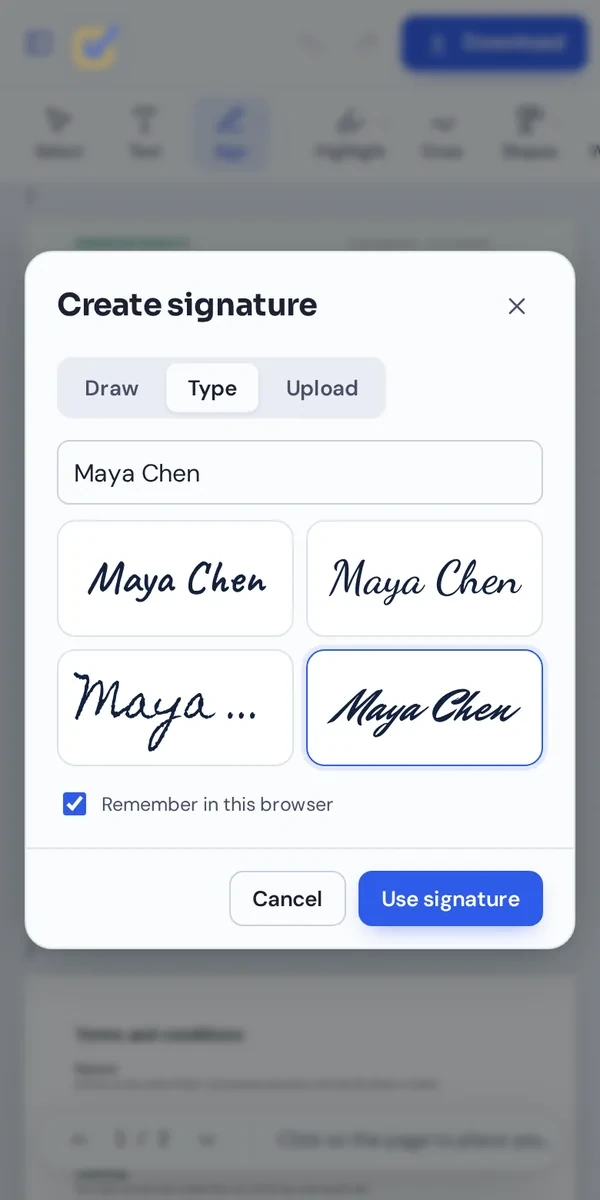
Sign PDF
Draw, type or upload your signature.
Fill PDF
Type into forms and tick boxes.
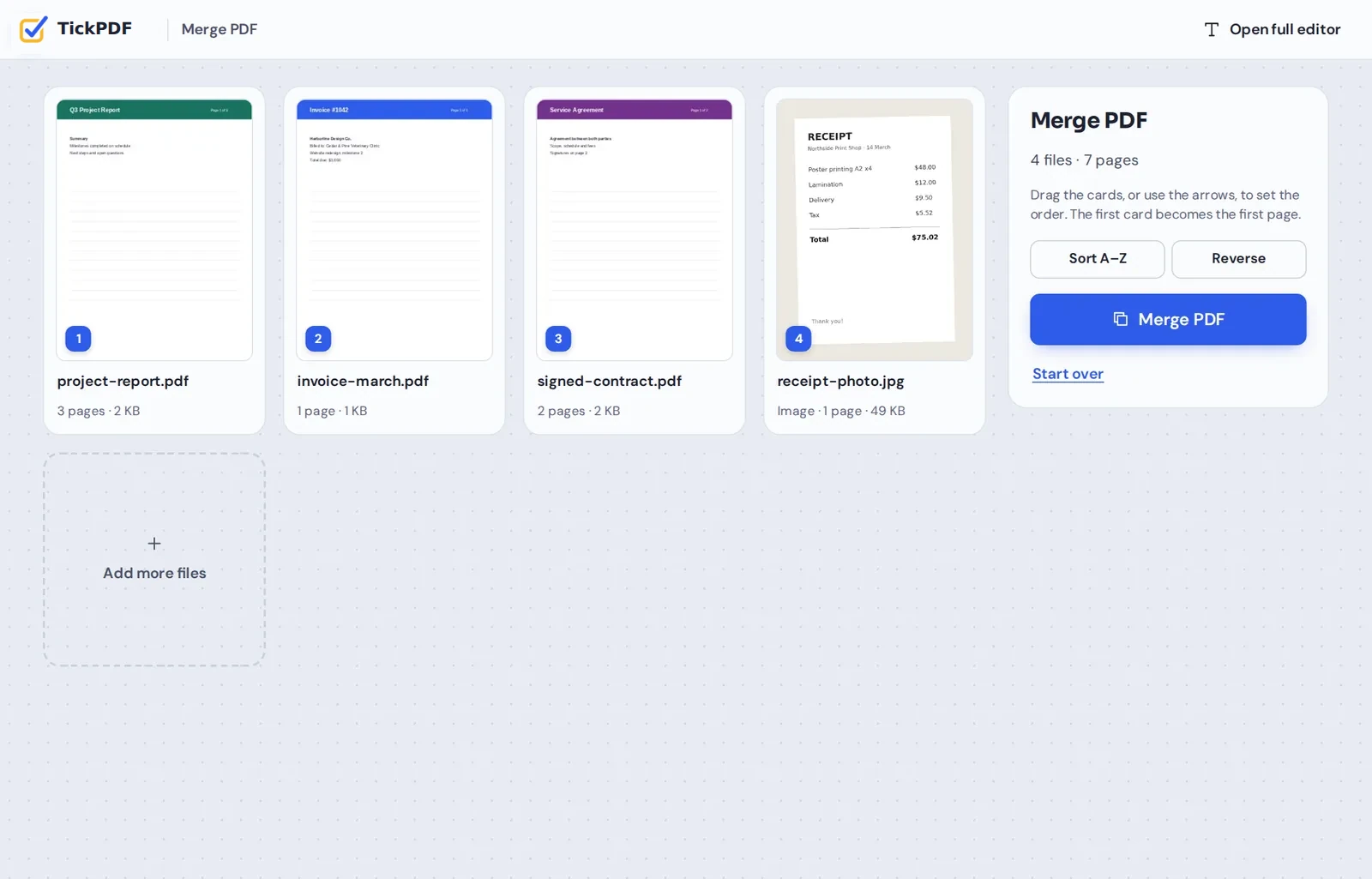
Merge PDF
Combine PDFs and photos into one file.
Compress PDF
Make big files small enough to email.
Split PDF
Pull out pages or cut a file in parts.
PDF to Word
Turn a PDF into an editable document.
Word to PDF
Save Word files as clean PDFs.
PDF to JPG
Save every page as a picture.
JPG to PDF
Turn photos and scans into one PDF.
OCR PDF
Make scanned text searchable.
A Free PDF Editor That Keeps Your Files on Your Device
Most online PDF tools upload your document, process it on their servers and send it back. TickPDF was built the other way round. The free PDF editor loads once in your browser, and from then on every change happens on your own computer or phone.
That has three practical results. Your files stay private, because they never travel anywhere. Work is quick, because there is no upload or download to wait for. And you do not need an account, because there is nothing of yours for us to keep.
When you are done, the finished PDF is saved straight to your device, clean and without a watermark.
Private
Files are opened and changed on your device, never on our servers.
Clean downloads
No watermark and no logo on your documents.
Nothing to install
It runs in the browser you already use.
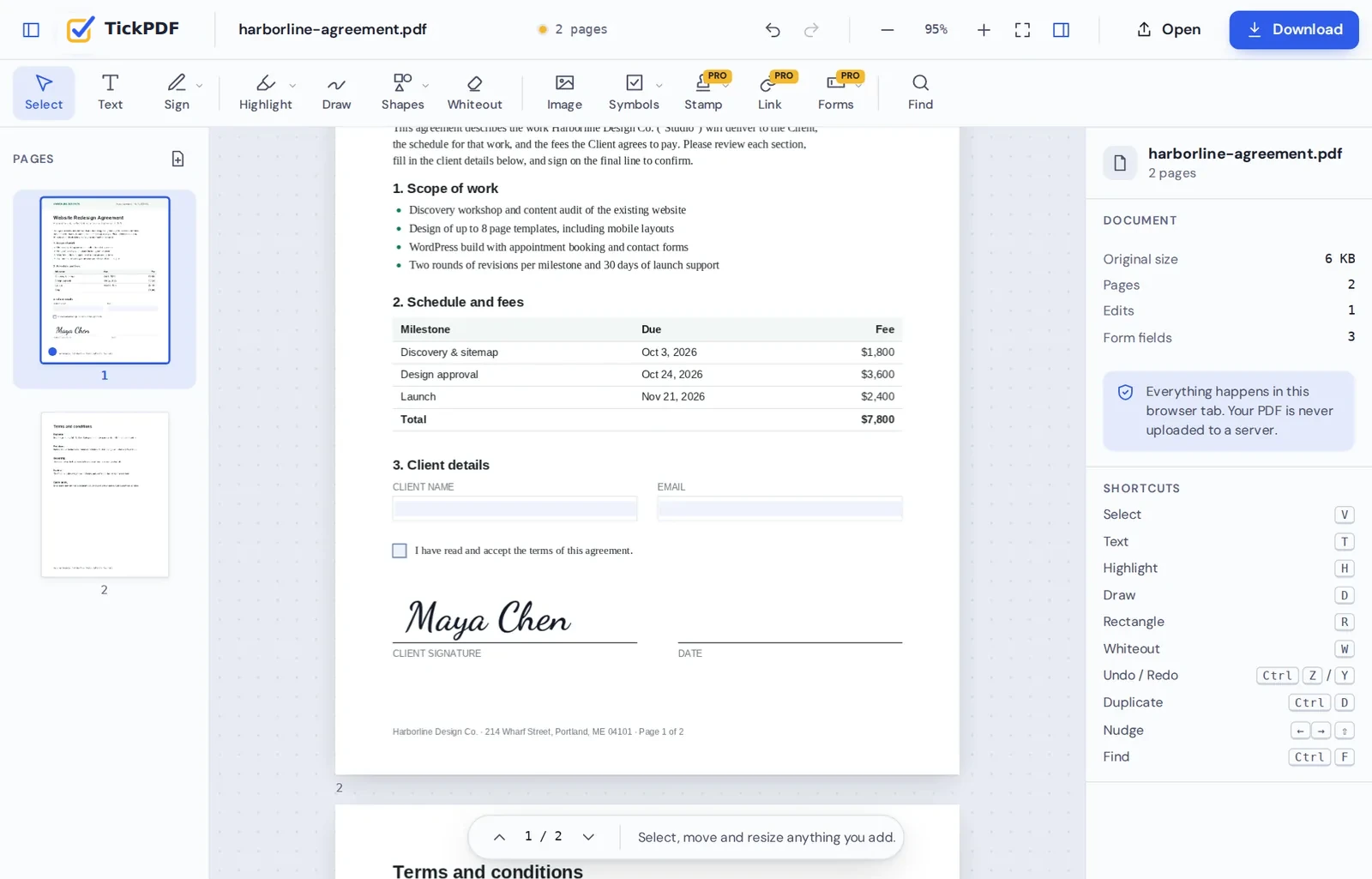
Sign Contracts in the Free PDF Editor
Draw your signature once, place it on every page that needs it and download the signed file. No printing, scanning or account needed.
How TickPDF Compares to Other Free PDF Editor Options
What you usually get from free PDF tools, and what TickPDF does differently.
| TickPDF | Typical free online tool | Desktop software | |
|---|---|---|---|
| Where your file goes | Stays on your device | Uploaded to the company's servers | Stays on your device |
| Account needed | No, only for paid plans | Often, to download | Often, to activate |
| Watermark on free downloads | Never | Sometimes | Sometimes, on free trials |
| Install anything | No | No | Yes |
| Works on phones and Chromebooks | Yes | Usually | Rarely |
| Price for everyday editing | Free | Free with limits | Often a subscription |
More Than a Free PDF Editor: Merge and Make PDFs
Merge PDF joins files and photos in the order you choose, and the PDF maker turns a blank page or your phone photos into a new document.
Your Documents Stay Yours
Leases, payslips, medical letters and ID documents are exactly the files people need to change most often. With TickPDF they are opened inside your browser and never sent to us.
We do not keep copies, we do not read your documents and we do not need your email address to let you use the free PDF editor. Close the tab and nothing is left behind.
- 0files uploadedEverything happens on your device.
- 0watermarksYour downloads stay clean.
- 0accounts neededOpen the page and start.
Free Forever, With Pro When You Need More
The free PDF editor stays free: every tool works, with 3 downloads a day and no watermark. TickPDF Pro removes the limits for people who work with PDFs every week, or for one big job.
Take a 7-day pass for a single job, pay monthly or yearly, or pay once for life. You can try every tool on your own documents before you pay. See plans and prices.
Free
Every tool, no account, no watermark.
Pro
Unlimited downloads and files up to 100 MB.
Same privacy on every plan
Your files never leave your device.
A Free PDF Editor on Every Device
- Windows
- Mac
- Linux
- Chromebook
- iPhone
- iPad
- Android
TickPDF works in Chrome, Edge, Firefox and Safari, so the same free PDF editor runs on Windows, Mac, Linux, Chromebooks, iPhones, iPads and Android phones.
On a phone, the tools sit along the top and the page buttons sit under each thumbnail, so you can sign a form on the bus or fix a page between meetings.
Who Uses This Free PDF Editor
People who work with PDFs now and then, and want a free PDF editor they can trust with private documents.
Students
Forms, applications and assignments.
Freelancers
Contracts, quotes and invoices.
Small businesses
Orders, stamps and signed agreements.
Renters and buyers
Applications, leases and checklists.
Families
School, medical and insurance forms.
Office teams
Drafts, reports and review notes.
Tips for Your First Visit to the Free PDF Editor
- Pick a tool firstTool pages open the editor ready for that job.
- Save your signatureKeep it in this browser to sign the next file in one click.
- Zoom for small printUse the + button or Ctrl and the mouse wheel.
- Undo anythingCtrl+Z steps back, Ctrl+Y steps forward.
- Name your downloadRename the file so it is easy to find later.
- Share with confidenceNothing you open here is uploaded or stored.
TickPDF: Frequently Asked Questions
Answers to what people ask most about TickPDF.
What is TickPDF?
TickPDF is a free PDF editor and a set of PDF tools that run in your web browser. You can edit, sign, fill, annotate, merge and organize PDFs without installing anything.
Is TickPDF really a free PDF editor?
Yes. Everyday editing, signing, filling and page tools are free, with no account and no watermark. A few advanced tools are part of TickPDF Pro.
Do you upload or store my files?
No. Your files are opened and changed inside your browser and never sent to our servers, so there is nothing for us to store.
Do I need to create an account?
Not for the free PDF editor. Open a tool and start. If you buy a paid plan, an account is made for you with your checkout email, so your plan works on every device.
Will my PDF have a watermark?
No. Downloads never carry a watermark or a logo.
Which devices does it work on?
Windows, Mac, Linux, Chromebooks, iPhones, iPads and Android phones, in current versions of Chrome, Edge, Firefox and Safari.
Which tools are available?
More than 100: a full PDF editor, signing, form filling, highlighting, redaction, merging, splitting, compressing, OCR, page tools, and converters between PDF and Word, Excel, PowerPoint, images, HTML and more. New tools are added regularly.
How much does TickPDF Pro cost?
Pro is available as a 7-day pass, monthly or yearly, or as a one-time lifetime plan. Current prices, in your own currency, are on our pricing page.
How is TickPDF different from other PDF sites?
Most PDF sites upload your document to their servers. TickPDF does the work on your own device, which keeps your files private and makes editing fast.
Ready to Try TickPDF?
No account, no upload and no watermark: open a file at the top of this page and start.
Open the editorTickPDF is the private, free PDF editor for everyday documents. Open your file and try the free PDF editor today.